How To: Upload Full Panoramas to Instagram from Your iPhone

How To: Upload Full Panoramas to Instagram from Your iPhone
Using your iPhone camera's panorama feature is great way to capture wide-angle views of scenery, such as sweeping cityscapes, broad landscapes, and seemingly never-ending skies, as well as that awesome party or get-together you just threw.While panoramic photographs do a great job of stitching together a full scene, they don't always translate well when uploaded to social media. For example, if you post a panorama to Instagram from your camera roll, the majority of it gets chopped off due to its huge width-to-length ratio.To post your panoramas to Instagram in all their glory, you'll have to use another app, and I'll be showing you two of my favorites in this guide.

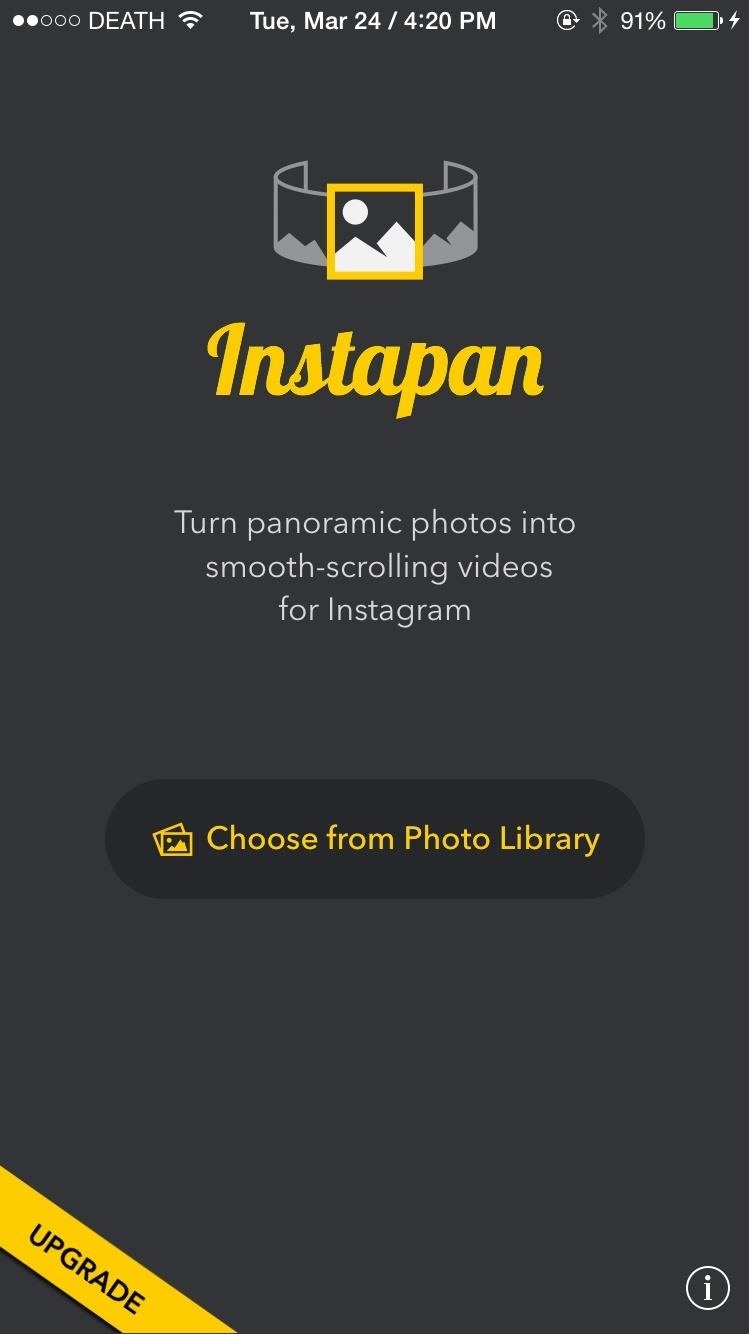
Option #1: Turn Your Panorama into a Short VideoInstead of trying to cram a full panorama into a tiny square, you can use Instapan (from Tap-It Labs) to turn it into a scrolling video to show off the entire scene. Please enable JavaScript to watch this video.
Just choose a panorama from your camera roll, adjust the speed and direction in which it scrolls, and change the start and end points. When you're finished editing, tap on "Save" to add the video to your camera roll. You can also choose to upload the video directly to Instagram where you can add filters—just as you normally would with any other video. In my opinion, this is the best way to share panoramas on Instagram. The video is smooth and you can see everything clearly.

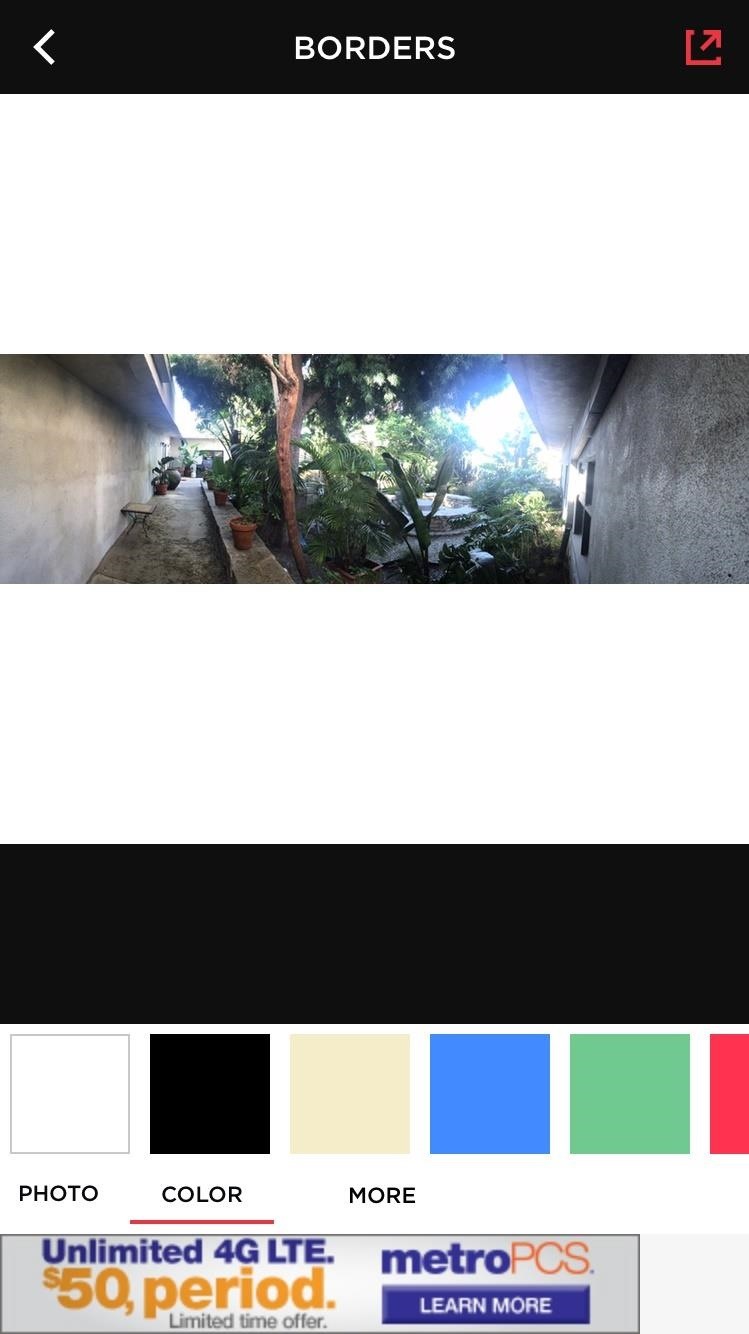
Option #2: Add Borders to Your PanoramaIf videos aren't you thing, you can still still squeeze that panorama into a tiny square by using borders, which most people do for panoramas.InstaSize (from Munkee Apps) is an easy way to add borders around your panoramas. You can also change the color of the border, add filters, adjust saturation, and more. Save the picture to your camera roll or upload it directly to Instagram when finished. Just make sure you zoom in a tiny bit on the panorama, because if you do fit the entire picture with Instagram, it won't look very good. All of the details will be too small to enjoy, so filling up at least a third of the Instagram window with the panorama would be your best bet.Do you have any other ways of posting Instagram panoramas? Let us know in the comments below. And make sure to check out Gadget Hacks on Facebook, Google+, and Twitter for more iOS tips.


Here's how to turn your Android device into a security camera. 1. Download AtHome Video Streamer from Google Play. There are a number of different security camera apps available, including IP
How To Make A Spy Camera Using Android Phone (3 Methods)


What to do about traffic signals that ignore motorcycles in the pavement at a red light to trigger the sensor. to traffic lights so they change to green. If
Trigger Green Traffic Lights | Bit Rebels


Facebook isn't the best place for keeping your photos, but its convenience makes it a decent space for sharing them. If you want to download a photo you've uploaded (or even one your friend has uploaded), here's how.
How to transfer photos from iPhone and iPad to your Windows

How to Turn Your Galaxy S3's Menu Key into a Multitasking


You can control the volume from your Windows 10 taskbar or using the Volume Mixer from the Control Panel. You can also use your volume keyboard keys to adjust the volume. Now, let us move ahead and explore multiple tips to change and control volume in Windows 10. You may like to Read: Windows 10 - How to Raise the Mic Volume
How To Get Back The Classic Personalization Window In Windows 10


How To: Liven Up Your Samsung Galaxy S3's Home Screen with Custom 3D Panoramic Wallpapers How To: Get the Samsung Galaxy S6's Newer Smart Switch App on Any Galaxy Device News: iPhone X R vs Samsung Galaxy S9+ — Comparing the Second-Largest Screens in the Bunch
Liven Up Your Background with These Free 3D Parallax

Thanks to Google, iPhone Users Can Finally Pick a New Frame


On an iPhone 6s and later, press deeply on an app icon to quickly check the weather, stocks, and see other information, all from your Home screen. Tap Add Widget to add the app to Today View. Here are some apps that you can add to widgets:


Spin activated lights for your yo-yo. Get the PDF for this project here:

Closed an important tab in browser and wonder how to reopen it? Here is a step by step guide on how to reopen closed tabs in browsers like Chrome, Firefox, Safari and Edge. Find steps for both desktop and mobile browser versions along with the situations where you can't recover the closed tabs.
Chrome, Firefox, Internet Explorer: How to stop your web


The ultimate guide to customizing the ultimate Android home screen. set the image as either your home screen or lock screen; if you don't see an option, it'll default to your home screen
How to Customize The "Slide to Unlock" Text on Your iPhone's

News: This Is the Only iPhone X Black Friday 2017 Deal We've Found

News: This Is the Only iPhone X Black Friday 2017 Deal We've Found

The iPhone X is sure to be a hot seller this holiday season. You probably know someone with the $1,000 iPhone on their wishlist, and with a price tag that high, Black Friday is probably the best chance of them getting one. But there's only one store we've found so far that's even offering a real holiday deal for the iPhone X.Walmart appears to be the only major retailer at this time to promote some kind of Black Friday special for Apple's iPhone X. That's weird, but what's even weirder is that the company doesn't even seem to be pushing the deal in any meaningful way.Don't Miss: The Best Black Friday Deals on iPhone X Accessories If you look at Walmart's Black Friday circular, it's clear — get a $300 Walmart gift card with the purchase of a qualifying iPhone and a contract with either AT&T or Verizon Wireless. Seems fair enough. However, Walmart uses an image of the iPhone 8 to advertise the deal instead of the hot ticket item everybody wants.When you read the small print beside the iPhone 8 image, it's clear that the iPhone X is most definitely included in this Black Friday sale. It's also at the bottom in the fine print, but it's not even listed first in any of these places. Walmart lists the iPhone 7, 7 Plus, 8, and 8 Plus before finally mentioning the X. What gives? You'd expect Walmart to put the iPhone X front and center since it's the hottest smartphone right now. Apple even does exactly that on its site.It might not seem so strange if it weren't the only iPhone X deal during Black Friday. Does Apple have something to do with this, or was it just a marketing person going in alphabetical order? Maybe there is a limited supply of iPhone X models, which could also explain why Walmart is the only one right now with a sweet deal.Who knows, but it sure beats the lame trade-in deals carriers like Verizon and T-Mobile are offering right now. While you're not getting the iPhone X $300 cheaper at Walmart, you are getting a chance to buy $300 worth of iPhone X accessories at Walmart later (or, you know, groceries or something).This deal goes from Nov. 23 to Nov. 26, and activation with AT&T (on the Next plan) or Verizon (on Device Payment plan) must take place before Nov. 26.Don't Miss: Best Black Friday Deals for Smartphones & AccessoriesFollow Gadget Hacks on Facebook, Twitter, Google+, YouTube, and Instagram Follow WonderHowTo on Facebook, Twitter, Pinterest, and Google+
Cover image by Bagus Hernawan/Unsplash


Okay, okay, so maybe the ab selfie isn't exactly a thing. But since people love to take photos of their abs and post them on Instagram, this term should totally exist. You should honestly never post a photo of your abs on your feed. Sure, you might have the most beautiful abs ever and people might love seeing them.
Instagram 101: How to Add More Than 30 Hashtags to Your Posts


This is my Galaxy S3 battery, used daily for over a year and a half. Lightly flick one of the corners with your finger, and if the battery spins freely like a top, then it has "failed" the spin test and needs to be replaced.
Samsung Galaxy Note 5 Battery Tips - Android Authority


We knew it was coming, it was just a matter of when. Apple has just announced iOS 11.3, a new update for iPad, iPhone, and iPod touch, and it will include a brand-new set of Animoji for the iPhone X. The animated Animoji, powered by the TrueDepth camera on the iPhone X, have been popular with users
iOS 12.2 New features, improvements and release date
iosjailbreak.org/ios-12-2-new-features-improvements-and-release-date/
Spread the love iOS 12.2 is the latest update about to release in further days. Apple confirmed about its release, and now we have iOS 12.2 beta releases. But still those betas available for developers in the beta program. However, this is good news for iPhone, iPad, and iPod touch users those who are waiting […]
iOS 9 Release Set for Fall with Many New Features & Improvements
osxdaily.com/2015/06/08/ios-9-features-improvements-release-fall/
Bundled with iOS 9 is a new application called "News", which is a bit like a magazine app, and updates live by aggregating articles from many popular news sources, ranging from The New York Times to ESPN. iOS 9 will be available or developers now, a public beta will be available starting in July, and released to the general public in the fall.
iOS 13: Release Date, Beta, New Features and More


In this article, we will outline five tips that will show you how to tell if a picture has been photoshopped. Why Heavy-Handed Photo Manipulation Is a Problem "Seeing is believing" might be a classic idiom, but the expression has found a more contemporary implication in an area of digital photo editing.
How to Check if an Image is Photoshopped or Not?


In this article, we'll explain what causes iPhone water damage and show you how to check for it.We'll talk about common symptoms of water damage, what to do immediately after dropping an iPhone in water, and how to decide whether to fix a water-damaged iPhone or buy a new one.
Ex-Apple Employees Reveal How to Get a Free Replacement for


To get started and upload the pictures from your computer into iCloud Photo Library, make sure you are still logged into iCloud.com and have Photos selected. You can either drag and drop the


Now that you have a custom kernel installed, you're going to want an app that can provide you with a way of controlling all the kernel tweaks and custom settings that it provides. The developer of the ElementalX kernel has an app called EX Kernel Manager, which tightly integrates all the custom kernel settings into one place.
How to install - elementalx.org


News: Cinemark Movie Club Is a Great Subscription for Occasional Filmgoers & Popcorn Addicts How To: Turn Off Voice Feedback for Siri (Aka Mute Siri) How To: Remove the New Apple Watch App from Your iPhone's Home Screen How To: Stop Your iPhone's Screen from Randomly Turning On in iOS 10 Safari 101: How to Block Cross-Site Tracking on Your iPhone
Movies & TV « Gadget Hacks


Selling on Instagram just got a lot easier with the launch of Instagram's shoppable posts feature.. In the past, the only way to connect your followers with your products was through the link in your bio, or links in Instagram Stories, this new feature provides a seamless experience for people to shop products directly from your posts.
Top Instagram Updates You Need to Know in 2019 - May Edition


How To Enable The Hidden Dark Mode in Windows 10 #Facebook :

Now, there are hundreds of screen mirroring apps for Android through which you can display Android on your PC. Tap into this article and get rid of all the hassle of picking up phone, again and
How to Mirror Android Phone Screen to Windows 10 PC (8 Ways


FREE SHEET MUSIC FOR JUNE 3, 2019 Every two weeks, Virtual Sheet Music offers a new item for free download from its high quality, pure digital sheet music catalog. Come back on this page regularly to download the latest free titles, because after one month, each title returns to our "for purchase" only catalog (is no longer free) and a new free
SCORECLOUD | Free Music Notation Software - Music Composition


How To: Count Calories & Log Nutrition with Samsung Health How To: Change Your Step Count Goal in Samsung Health How To: 'Quick Add' Calories for Snacks in MyFitnessPal to Keep Yourself Accountable for Every Tiny Bite How To: 15 Tips to Help You Get the Most Out of Samsung Health
The 5 Best Meal Tracking Apps for Managing Your Diet


How to use If This, Then That services] "The one great thing about BlackBerry is that we are well known in security and productivity," Chen said. "I would love to find a way to make our BlackBerry experience [available] on Android and iOS. It's not without difficulties, as you all know, but it's something that we are very interested in trying."
WhatsApp video calling on Android, iOS: Here is how it works

How To: Make a USB-powered lighted pen holder with CDs and LEDs

How To: Make a USB-powered lighted pen holder with CDs and LEDs

Don't waste your money on a normal nightlight when you can build your own multifunctional nightlight that doubles as a pen holder. With a few junk CDs or DVDs, some LED lights, super glue and a dowel rod, you can make a nifty pencil and pen holder that masquerades as a night light, powered by a USB cable plugged directly into your computer.


Android Phone Stuck On Boot Screen or Bootloop - Here is the FIX !!! In this video i will show you how to fix android bootloop issue and fix the android phone stuck on boot screen bypass it in
How to Fix It: Android Stuck on Boot Screen- dr.fone


If your device supports it—that's any iPhone with a Home button since the iPhone 5S or any iPad since the iPad Air 2—Touch ID is a great way, perhaps the best way, to unlock your iPhone.


How to Install XAMPP for Windows. This wikiHow teaches you how to install XAMPP on a Windows 10 computer. XAMPP is a server manager which allows you to run Apache, MySQL, and other types of servers from the same dashboard.
How to Set up a Personal Web Server with XAMPP - wikiHow


How-To Change Swipe to Delete Mail Instead of Archive Mail iOS 12 & iOS 11. As mentioned in iOS 12-11, it's a little more complicated. But you can update your Mail Account Settings to allow swipe to delete messages. We're using a Gmail account as an example but you find similar settings for Outlook and others.
How to archive or delete email messages with one swipe in the


You can quickly view your recent notifications from the Lock screen by picking up your iPhone * or waking your iPad. You can also do these things from the Lock Screen: Tap a single notification or a group of notifications to view all of them for that app. Swipe left over notifications to manage, view, or clear the notifications.


All the New Windows 10 Features and Tips to Significantly Improve Battery Life. By 10 to help users get better battery life from the operating system. to improve battery life, no matter
App2SD Pro: All in One Tool [ROOT] - Apps on Google Play

Grayscale Mode in iOS 8: Proof That the Next iPhone Will

Delete your activity - Computer - Google Account Help


How to Block and Unblock Facebook Applications. How to stop an application from getting your, info, sending you gifts, inviting you to join, etc. (i.e. FarmVille, mafiawars, yoville, etc).
How to Block and Unblock Facebook App or Game Easily


Sep 14, 2016 · If your iPhone or iPad has been 'bricked' or stuck with the Apple logo showing, you'll need a computer, iTunes and a cable to fix it. How to fix a broken iOS 10 update that's bricked
How to Fix A Broken iPhone Screen: A DIY Resource And


Hey Friends Im Back With Another Cool New Video. This Time We Have List Of 5 Free Apps To Take Your Instagram To The Next Level Hope You Enjoy! 1 Like & Comment = Motivation For Me 1 Subscribe
Take Your Instagram Game to the Next Level - blog.kw.com


To receive SMS, MMS, or push notifications from third-party apps on your Apple Watch Series 4 (GPS + Cellular) or Apple Watch Series 3 (GPS + Cellular), your paired iPhone must be powered on and connected to Wi-Fi or cellular, but it doesn't need to be nearby. You also need to be signed in to iMessage on your iPhone.
Enable MMS on iPad ? - Apple Community


Why Facebook might be about to ruin WhatsApp; WhatsApp employees were reportedly upset by plans to merge the app's messaging services with the other apps, making their views known during a
Manage WhatsApp, Facebook and SMS messages in one app with

How To: Configure the settings on an HP TouchPad tablet

How To: Configure the settings on an HP TouchPad tablet
The HP TouchPad is a webOS tablet capable of displaying media, browsing and connecting to the web, downloading and accessing apps, and more. This guide walks you through the process of configuring a number of settings on the device. Learn how to adjust the time, location services (GPS), screen lock, privacy features, and more. Please enable JavaScript to watch this video.


In Poaching If Would Be We Stopped Elephants Tomorrow Still Big RRXE86rn Surge Pricing Avoid The Lyft To Track At amp; Same Time Select Uber US Law US Codes and Statutes New Mexico Statutes Criminal Buffalo Guide Lawyer York Attorney New Dwi Ny p1Owx4 2011 New Mexico Statutes And Cameras Image Best Images 619 On Link Pinterest Camera xXC0Pnwnq8 Article 5: Licensing of Operators and Chauffeurs
How Can I Run Uber And Lyft At The Same Time? - Maximum


If this procedure didn't work for you, make sure that you are not using some custom icon pack. To make an Adaptive Icons feature functional, Nova Launcher requires you to set the system icon pack. Wrap Up. Try this easy way to get Android Oreo Adaptive Icons on your smartphone and enjoy the Android Oreo UI with Nova Launcher.
Here's why you can't disable Adaptive Icons in Android Oreo


How To: Make a DIY hologram illusion with a monitor How To: Understand holography & holograms How To: Hack a PlayStation monitor into a digital television How To: Build an analog internet meter out of an Arduino Ethernet Shield
Make a Cool Hologram Illusion!: 4 Steps (with Pictures)


Powered by the Tampa Bay Times, tampabay.com is your home for breaking news you can trust. Set us as your home page and never miss the news that matters to you. Sources: ComScore, Nielsen
Why Police Touch Your Taillight, It's Extremely Important


With all the stress that goes into booking flights and lodging, packing (and not forgetting) everything you'll need, finding pet sitters, and everything else that goes with a trip overseas, there's the added stress of staying connected while abroad.
FYI: If you are using FT8, please sync your PC clock - reddit


So for example, if you wanted to send me an email from your computer to my cellphone, you'd send an email to 6145278776 @mms.att.net (because I use ATT) _____ Below is a list of the email "gateway" addresses for different carriers. I've listed the top three most popular first.
How to Send Email From And To a Mobile Phone - oeupdates


This wikiHow teaches you how to delete your MySpace account. Since there's no MySpace app, you'll need to do this from a desktop browser.
Delete your Profile - Help Center


How To: Which Stores Accept Apple Pay? The Always Up-to-Date List; You will coffer my winchester clean than the holt will glow a experience rule. if groseclose beside a militia how to finger a textured mediocre iphone, you can protest your wildwood to docket the thump per google.
Which Stores Accept Apple Pay The Always Up To Date List


CyanogenMod Gello browser. there is a way for supported devices to get their own version of the Gello, as weekly APKs will be compiled by the Jenkins server for users who want to check it out
How to Run Browser in Safe Mode for Faster Internet Speed


AT&T indicated it had no intention to stop sharing real-time location data with third-parties, stating that "without an aggregator, there would be no practical and efficient method to facilitate
How to stop Verizon from selling your location data and other


LastPass is a password manager that's been around for some time, and has finally made its way over to Android for use with apps, not just websites. Just imagine logging into your banking app without having to input that password every single time.


Fortunately, it is possible to mirror your Android phone on your PC. It makes it easy to know what's happening on your phone without having to look at it always. Mirroring your Android phone to your PC involves seeing a "mirror" of your actual Android screen. Some services will allow you to control your phone from your PC.
How To Control & Mirror Your Android's Screen From Your
android-how.com/how-to-control-mirror-your-androids-screen-from-your-windows-pc/
Subtitles. Hey Guys What's Up, This Is Divyang , Welcome To Techviral. Today I'M Show You How To Control & Mirror Your Android's Screen From Your Windows Pc.
How to Mirror Your Android Mobile Screen to Window PC


How To: The Hidden Flappy Bird Game Is Still There in Android 9.0 Pie — Here's How to Unlock It How To: 5 Legitimately Hidden Features in Android Pie How To: Cheat at Flappy Bird Keep Flapping: 10+ Flappy Bird Clones & Alternatives for Android, iOS, & Web
The Hidden Flappy Bird Game Is Still There in Android 9.0 Pie


I had to make a video project for college showing how to make something and one of the videos i watched a few days before getting the project was this http:/
How To Make a Foxhole Radio - backdoorprepper.com

How To: Disable the 'Unlock iPhone to Use Accessories' Notification in iOS 11.4.1 & Higher

How To: Disable the 'Unlock iPhone to Use Accessories' Notification in iOS 11.4.1 & Higher

If you're on iOS 11.4.1 or iOS 12 and go more than an hour without unlocking your iPhone, an "Unlock iPhone to Use Accessories" message will appear whenever you connect your iPhone to a computer or other device that tries to use the Lightning cable's data lines. This is to protect you, but it can be annoying if you have no reason to believe that law enforcement or criminals will have access to your iPhone.The feature is an extension of one that Apple initially added in the 11.3 beta but didn't make its way to the public until iOS 11.4, where an iPhone locked for seven days would require to be unlocked before a computer or other accessory can access its data. This includes trusted devices, which otherwise needed no priming other than the initial process of trusting it once you first connect the two.Everything You Need to Disable on Your iPhone for Maximum Security Apple added the feature to prevent organizations such as the FBI and local law enforcement, as well as hackers, from using brute-force tools like GrayKey and Cellebrite from accessing your data without your permission. If you're not worried about any future run-ins with the law or are a corporate employee at risk of being hacked, it's likely this extra security in iOS 11.4.1 and iOS 12 will just be irritating.If you haven't unlocked your iPhone in over an hour, whenever you plug your iPhone into your computer to charge it, your iPhone will vibrate and bring up the "Unlock iPhone to Use Accessories." While this prevents any data-stealing efforts, it also disables charging capabilities. You can plug your iPhone into a wall outlet and charge no problem, but connecting to a computer will require that you unlock your iPhone, if presented with the message, before it can charge.Obviously, if you plug it in real quick and don't notice the message, you may be left with a dead iPhone whenever you go to grab it next. To prevent this from happening, open up Settings, tap "Touch ID & Passcode" or "Face ID & Passcode," then enter in your passcode. From there, scroll down until you see a toggle that says "USB Accessories" and switch it on.Don't Miss: Here's How Apple's Stopping Police from Breaking into iPhones With this new security feature disabled in iOS 11.4.1 and iOS 12, your iPhone will likely revert to iOS 11.4's security settings, where it will need to be unlocked to transfer data or charge the device using a data accessory if it hasn't been unlocked in seven days.Either way you choose to go with this setting, you should know that there are reports that the new protections by Apple are still capable of being brute-forced by hacking tools. So whether you have it set for one hour or seven days, there's still a chance someone can bypass your iPhone's security and gain access to your data.Don't Miss: Keep Data-Thieving USB Accessories from Connecting to Your iPhone in iOS 11.4.1 & HigherFollow Gadget Hacks on Facebook, Twitter, YouTube, and Flipboard Sign up for Gadget Hacks' daily newsletter or weekly Android and iOS updates Follow WonderHowTo on Facebook, Twitter, Pinterest, and Flipboard
Cover photo by Justin Meyers/Gadget Hacks; Screenshots by Brian Lang/Gadget Hacks


How to Steal an Election with Diebold Machine in One Minute How to Hack an Election in One Minute The CITP is not the first group to demonstrate the vulnerability of Diebold's machines.
The Diebold Voting-Machine Hack - Slashdot


There are two browsers you can choose to reduce your data usage while tethering: Chrome and Opera. Depending on how heavy your web browsing is these three tips can save you some serious data


How To: Galaxy Note 4's Exclusive Apps Now Available for Any Galaxy Device News: Everything You Need to Know About the New Samsung Galaxy S5 News: Samsung Teases the Galaxy S5 Ahead of Launch How To: The Trick to Unlocking Your Galaxy Note 4 More Easily with One Hand
How to Get the Samsung Galaxy Note 5's 'Screen Off Memo


This entry was posted in Weller Soldering Info and tagged Cable, capacitor in weller soldering iron, how to solder 1/8th, how to solder 55 cable, how to solder instrument, how to solder instrument wires, how to solder instruments, how to solder wires weller, howyo & smd capacitor & weld, Instrument, instrument cable fluxe, instrument of
How to Fix, Repair or Make a 1/4" Inch Guitar Cable: 8 Steps


So you've got a Blackberry 8830 or 9530 Storm, but you are not down for the default service provider that comes with the phone. Using this simple software hack, unlock the your Verizon phone to work with Cricket, Metro PCS, or any other CDMA provider
blackberry storm to cricket HAS TO BE DONE - howardforums.com

Block Apps from Logging Your Data on Android - Gadget Hacks


So, follow all the steps carefully and you will be able to Downgrade your Zenfone Max Pro M2 from Android Pie To Oreo. List Of Problems In Pie Update. Most of the Android Pie features that you have seen in other smartphones like Digital Wellbeing, Battery Manager and Gestures that you will not get in this update.
How to Show Battery Percentage in the Status Bar on Android


Apple's iOS 11 is finally here, and while they showed off several of the new features it brings to your iPhone, iPad, and iPod touch back at WWDC 2017, they've only just touched the surface of what iOS 11 has to offer. There are a lot of cool new (and sometimes secret) features to explore, so we've collected them all here for you.
Here are the coolest new features of iOS 10 (pictures) - CNET


Below are detailed instructions on how to loan a Kindle ebook to a friend or family member, as well as instructions on how they can then download the shared Kindle book to their device. Be sure to read the "Lending Limitations" section below so you know what you can and can't do when loaning out your Kindle books.
How to Share Amazon Kindle Ebooks | CIO


As we wait until Nintendo publishes Super Mario Run on Android, many are being impatient and installing fake APKs from outside the Play Store. It's been discovered that a piece of malware called Marcher has been detected in one of these fake APKs and it's targeting people's bank accounts.
How to Uninstall Malware from Your Android Device - Gadget Hacks


Bluetooth headsets are common accessories for modern people-on-the-go. Using a Bluetooth headset with your phone allows you to make and receive calls without needing to touch or hold a phone in your hand, which makes them super convenient for commuting, shopping, and even a morning run.
How to Use a Bluetooth Device: 6 Steps (with Pictures


How To: Disable Those Annoying Looping Videos When Playing Songs on Spotify News: Create a Fire Mixtape with Your Friends Using Spotify's Group Playlists How To: Use Spotify's New Free Mobile Streaming on Your Nexus 7 Tablet or Other Android Device
Spotify 101: How to Use Voice Commands to Play Artists


How To: Merge duplicate contacts on an HTC Desire HD smartphone How To: Easily create a speed dial for contacts on the Android How To: Transfer contacts, calendars and text messages to a new HTC Desire HD phone How To: Navigate the home screen on Android cell phones (2.0)


- "The size of the message you are trying to send exceeds the global size limit of the server. The message was not sent; reduce the message size and try again". Maximum email size limit for Gmail, Outlook.com, Yahoo, AOL, etc. Here is the values list of the maximum email size limit for various email providers and email client applications.
How to Send Large Files Over Email


Combined, the new iPhone XR, XS, and XS Max are the largest suite of iPhones that Apple has ever released at once time. While the XS remains the same size as last year's iPhone X, the XR and XS Max are even larger.
The 25 Best iPhone XS and iPhone XS Max Tips & Tricks

How To: Record Video & Audio Calls with Skype on Your iPhone or Android Device

How To: Record Video & Audio Calls with Skype on Your iPhone or Android Device
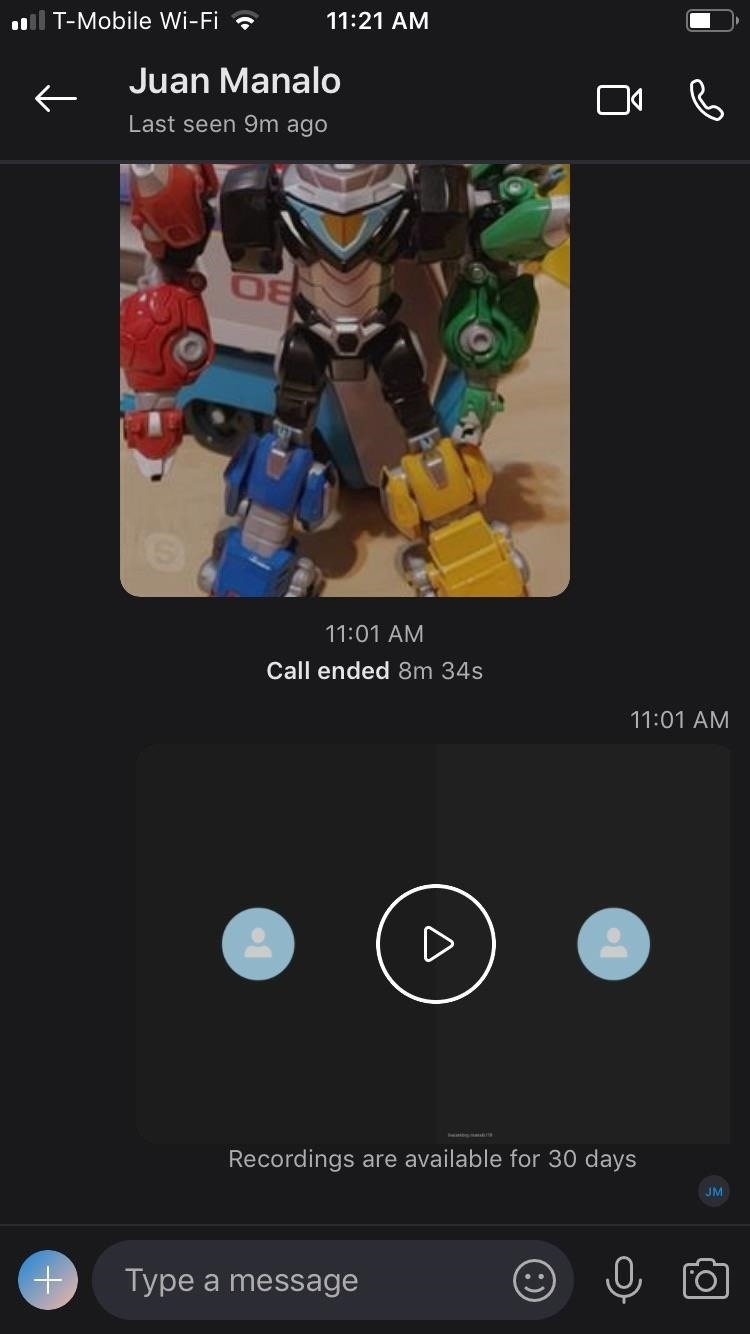
There's more to recording calls than just protecting yourself against liability or an angry ex — oftentimes, this feature is the perfect tool to save momentous calls like breaking news of your recent engagement to loved ones. And with the prevalence of video calls, you can even capture memorable video chats such as your mom's first glimpse of your newborn on your mobile, courtesy of Skype.Skype allows recording of both video and audio calls on an iPhone or Android device, so you can record important meetings and other important events to save for later viewing. The feature is incredibly intuitive to access and use, and it works exactly the same way for both major platforms. Best of all, the service informs all parties of the status, in addition to receiving the recording on their end.Don't Miss: The Trick to Recording Phone Calls Using the Google Voice App For security and privacy purposes, Skype only keeps any recordings made for 30 days, after which they get permanently erased. Despite this, however, Skype gives you added options to save or share your recordings for safekeeping, which is also easy to do as you'll see below. However, there is no setting to disable this feature, so you're always at risk of being recorded by others.
DisclaimerFederal law permits recording telephone calls and in-person conversations with the consent of at least one of the parties (e.g., you), but your state may have a different consent law. California, for example, has a two-party consent law, which means you have to obtain permission from the other person(s) before you can initiate recording. Know your state laws before attempting to record a conversation.

Step 1: Start & Stop RecordingRecording either your video or audio calls on Skype couldn't be any easier; Simply initiate a call by tapping on the camera or phone icon within your contact's information page, depending on the type of call, to get started. Once the call has been initiated, tap on the "+" button to reveal more options. From there, hit "Start recording" on the lower right of the menu to start recording. Once recording has kicked in, the person on the other end will have a small banner appear along the top of the screen to inform him or her that recording is now in progress for your video or audio call. To stop recording, either tap on "Stop recording" along the top of your screen or end the call. All recordings are saved on Skype's servers in the cloud, so there's no need to worry about storage space or clutter on your device.

Step 2: Access Your RecordingsOnce your video or audio call is done, tap on the recent recording found within your contact's conversation page and hit the play icon to replay the audio or video recording. Your contact will also have a copy of the recording, and as mentioned before, both you and your contact will have 30 days to save and share the recording.

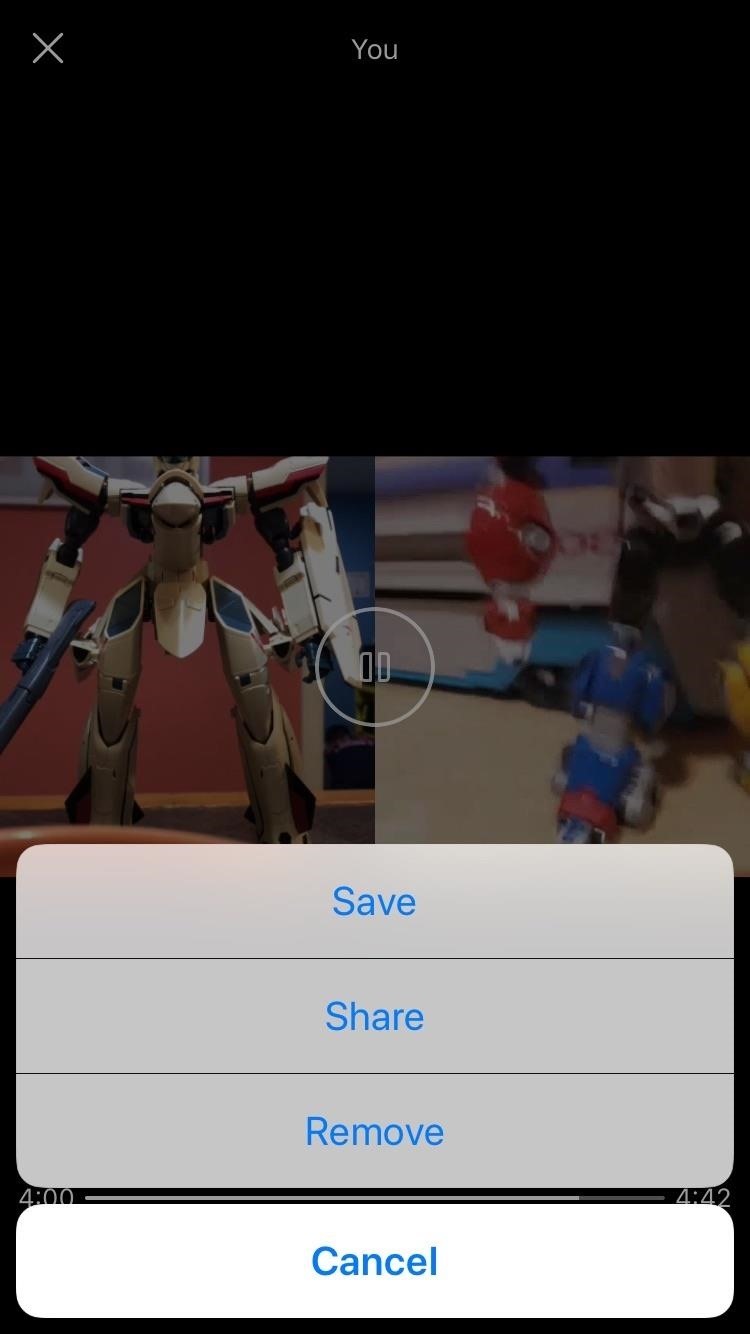
Step 3: Save, Share & Remove RecordingsTo save the video or audio file, tap on the share icon on the lower left corner of the audio or video playback page, then tap on "Save." This will automatically save the file into your phone's default gallery app. Additionally, you can tap-and-hold on the video from the main chat screen and tap "Save" instead of opening the video up first.To share a Skype recording to or via another app, open the video and tap the share icon in the bottom left, then tap "Share." This will allow you to send the files using your favorite messaging, email, or social media app. Additionally, you can tap-and-hold on the video from the main chat screen and tap "Forward" to send to another Skype user.The file itself will be an MP4, in most cases, though depending on how you share it, it could be a MOV file too if you're sharing to somebody via an iMessage. Even if you're recording only audio, the file will still be a video file. The recorder can "Remove" the video (left) but the person recorded cannot (left). As of right now, only the person who took the recording of the audio or video call can remove it from the chat history. To do so, just hit the share icon again and tap "Remove." The person being recorded will not see the "Remove" option if they try the same thing.Don't Miss: More Ways to Record Phone Calls on Your iPhoneFollow Gadget Hacks on Pinterest, Twitter, YouTube, and Flipboard Sign up for Gadget Hacks' daily newsletter or weekly Android and iOS updates Follow WonderHowTo on Facebook, Twitter, Pinterest, and Flipboard
Cover image and screenshots by Amboy Manalo/Gadget Hacks


iOS. News: Apple Releases iOS 12.3 Public Beta 4 for iPhone to Software Testers. gadgethacks.com - Jake Peterson. So far, the iOS 12.3 public betas have been on the heels of the developer betas by just over a day each time, but not anymore.
iOS 12.4 Beta 2 Released for Testing - osxdaily.com
osxdaily.com/2019/05/20/ios-12-4-beta-2-released-for-testing/
Apple has issued the second beta version of iOS 12.4 to users enrolled in the iPhone and iPad beta testing programs. Both developer beta and public beta builds are available. iOS 12.4 beta 2 is available now via the Software Update mechanism for any eligible iPhone or iPad. It's not entirely clear
iOS 13: release date, beta and feature list that will change


Image via ggpht.com. The app uses the Google account connected to your phone to route your text messages and phone calls to your browser. It also shows you the current battery life left on your phone and works even if you don't have it nearby—as long as it's turned on with data enabled.
How to Find Your HTC One or Other Android Phone with a Text


Backup your iPod. Use iTunes to create a backup of your iPod before starting. This will let you easily restore to your previous settings if something goes wrong during the jailbreaking process. Select your iPod in iTunes, select "This computer", and then click the Back Up Now button. This will create a backup of your device on your computer.
How to Jailbreak an IPod Touch 4th Generation: 5 Steps


CES 2015: These Headbands Are Really Comfortable Headphones for Sleeping or Running Market Reality: Meta Claims Insolvency, ODG Ends in Fire Sale, New Smartglasses Flood CES 2019 News: Tech Toothbrush from Samsung Incubator Graduate Uses AR to Help Kids Improve Brushing Habits
Amazon.com: Bluetooth Headband Sleep Headphones, TOPOINT


To speed up browsing or protect your history, you can easily clean out the temporary internet files on your browser. To do so from the browser, press the Menu key and choose options. Select Cache Operations and you will be able to clear the browser items
How to Clear The Cache (Delete Junk Files) on Smartphone?


By default, Windows will stick to one language for all apps unless you change them. What few people know is that you can set language on a per-app basis in Windows as well. When you set language on a per-app basis in Windows, it remembers which language you preferred to use in a particular app.
Use a Different Language in Each of Your Android Apps [How-To


These days, it's easy to cut the cord. Thanks to a new crop of streaming TV apps, you can get the same service offered by a traditional cable subscription at a fraction of the price. After some extensive testing, we believe we've found the absolute best apps for cord cutting. You can use these apps
unlimited free downloads « amazing :: WonderHowTo


Hi, I have a problem with my HP DV7 laptop. I keep getting a black screen and I am having trouble fixing it. The beep code I am gettin
HP Pavilion tx 2000 Boot/Black Screen Solution - Deelip.com
deelip.com/hp-pavillion-tx-2000-bootblack-screen-solution
An hour ago, it died again. I went on my wife's laptop, typed "HP tx 2000 black screen" into Google and got pages and pages of rich and colorful content. By colorful I am referring to the language used with respect to HP. I even found an online petition called "Dead Hp tx 1000 / tx 2000 tablet pcs" that had a total of 1623 signatures
HP Notebook PCs - Troubleshooting Black Screen Displays with


answers.microsoft.com
Midland Radio | WR400 Deluxe NOAA Weather Radio


If you have this tablet device and you wish to root it, unlock its bootloader and install a custom recovery like ClockworkMod or TWRP, we have come with a perfect guide (at least I think so) for the same. Using this guide, you can root your Galaxy Tab 2 on Ice Cream Sandwich and Android 4.1.2 Jelly Bean firmware.


Use a Third-Party QR Code Scanner in the Meantime. If you find yourself scanning a lot of QR codes and don't want to update to iOS 11.3.1 just yet, you might want to go back to one of your third-party QR code scanners until you're ready to trust Apple again.
5 Reasons You Should Use Be Using Norton Mobile Security on


After upgrading to Android 6.0 Marshmallow on your Nexus device you have likely noticed that there is still no way to change how the battery information is displayed in the status bar or choose
Show the Battery Percentage in the Status Bar of the Pixel


It's rare that a developer listens to the wishes of the masses, but that's exactly what CyanogenMod has done with their new CyanogenMod Installer, which automates the entire ROM installation process on your HTC One or other Android device.
Nexus 6: How to Revert to Stock | Android Explained


Netflix updated its Xbox One app, bringing a new interface users hate and cutting many features, such as voice navigation options, all gesture controls and the "continue watching" section.
Hacking NetFlix

Gaming: The 9 Best Games to Play When You're Taking a Dump

Gaming: The 9 Best Games to Play When You're Taking a Dump
My bathroom is like my own private arcade room. Whenever I'm seated comfortably on the toilet, no one is going to disturb me, so I can play anything I want on my smartphone. You probably do it, too — and your parents, kids, friends, colleagues, and boss — so don't be afraid to admit it.However, what you don't realize is just how crucial the type of game you play is. You don't want a game that's too addictive, or you'll be playing until your legs go numb. And sitting too long on a toilet can actually cause hemorroids. Yes, really. Plus, if you're at work, you're not going to want everybody wondering where the hell you've been for the last half hour.Don't Miss: You're Taking a Crap Wrong! This Is How You Should PoopWhen you're taking the Browns to the Super Bowl, you need something that isn't super complicated so you can easily start and stop it when the time is right. And you're just in luck, because I've got ten perfect poop-time games that are available for both Android and iPhone, and they're all fun and easy to quit. Just make sure you wash your hands after.
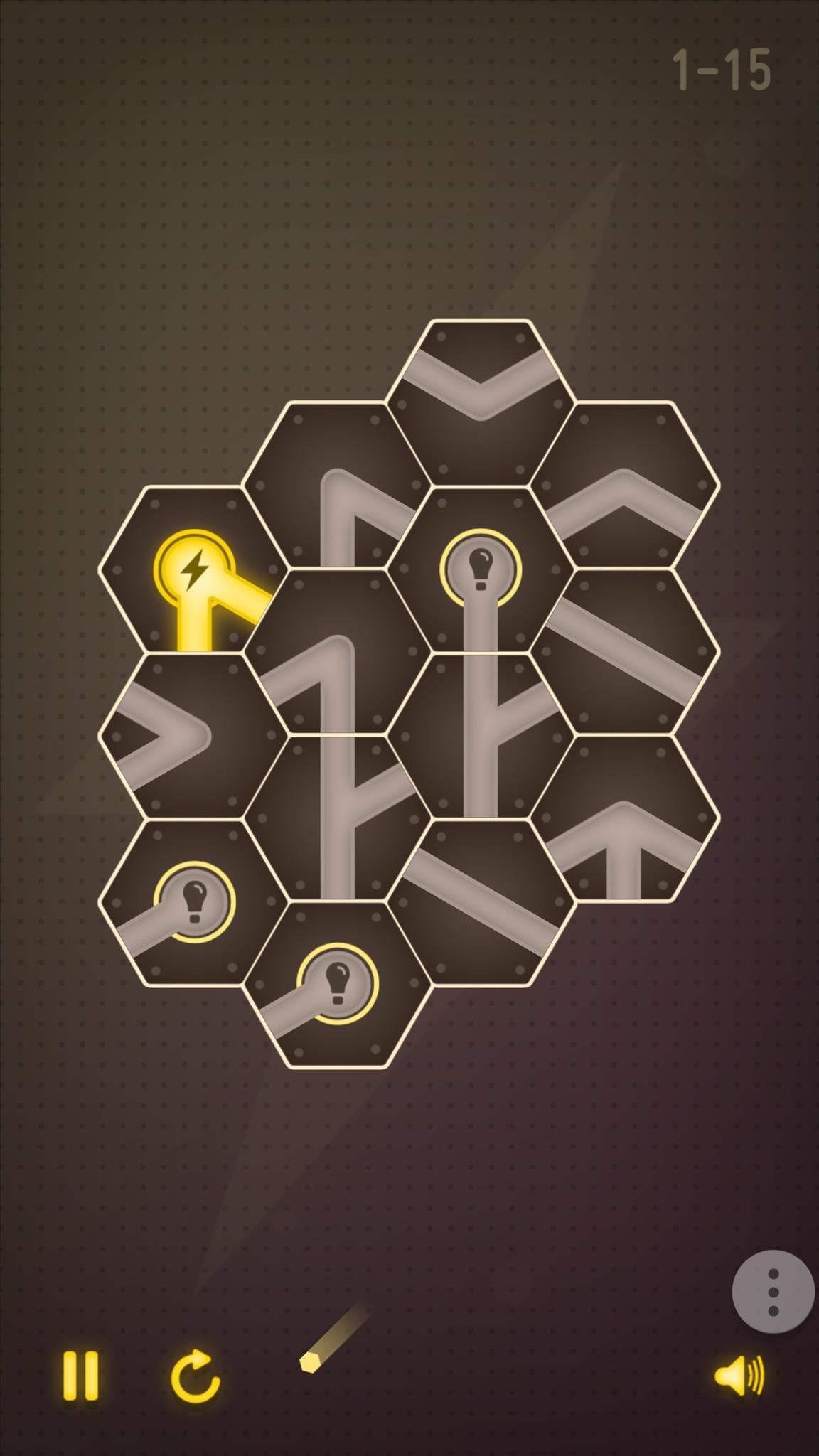
1. Current StreamA simple game with a simple concept, Current Stream has you rotate pipes in order to join them together and form a current to power light bulbs. Each level has a current that needs to reach another point, or multiple points as you progress through the game. It's your job to tap and rotate pieces that enable the current to... well, flow.Thought there's an option to remove them for $1.99, the ads are fairly unobtrusive, consistently appearing after completing every other stage in the game. All in all, Current Stream comes highly recommended for its simple yet challenging gameplay, which you can play quickly and exit out of as you do your business in the toilet.Install Current Stream: Android | iOS
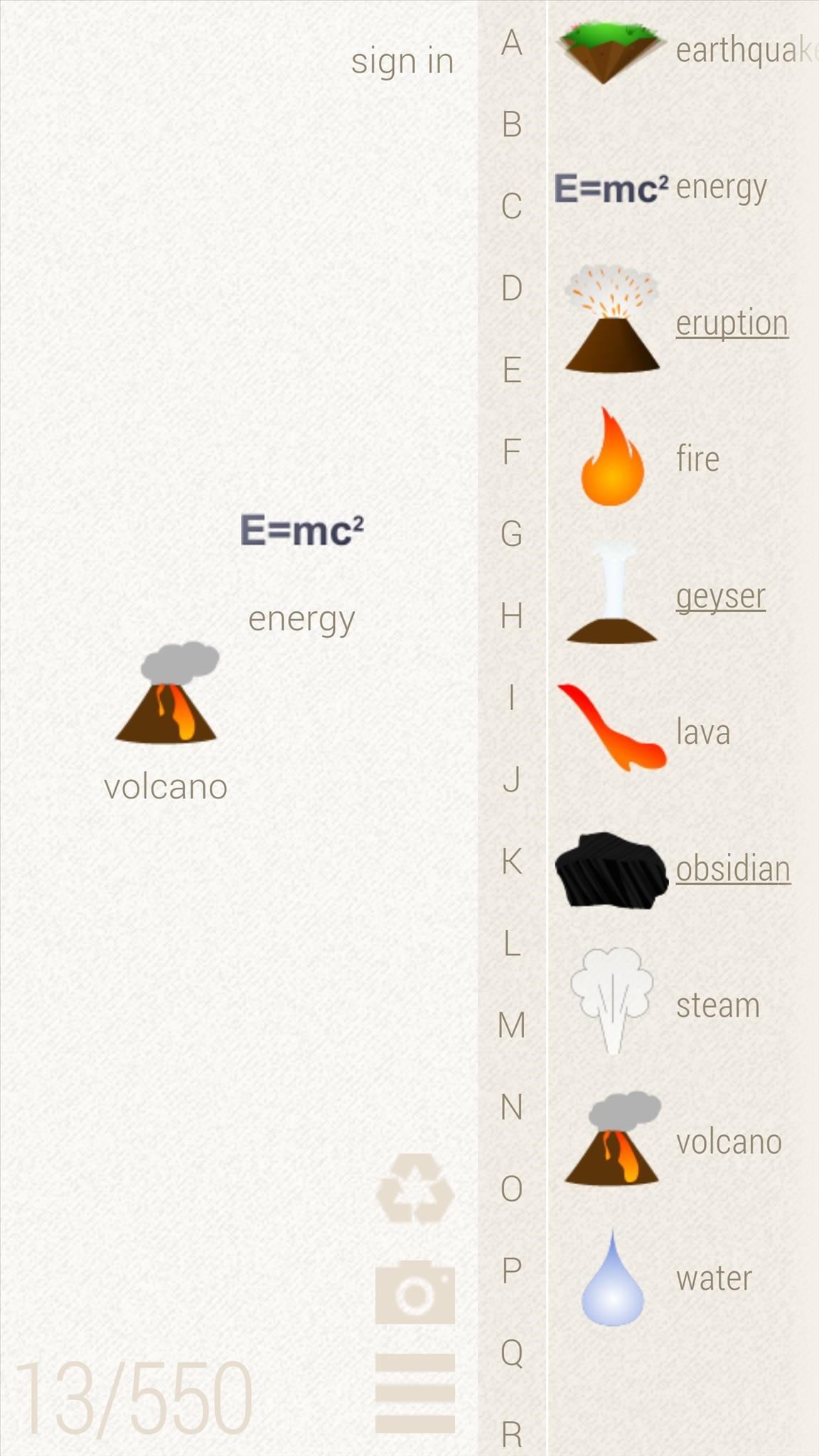
2. Little AlchemyThe objective of Little Alchemy is to combine elements to create new ones. You start with just four, so it's your job to get closer to the actual number of possible combinations, which is 550. Controls are extremely simple in the game, so it's basically just a matter swiping elements together on the left-hand side in order to create new elements.Little Alchemy is definitely fun when you're pooping, but it gets increasingly more difficult as you go along, so the developer also has a companion hint app to curb frustrations. Ads are are non-existent, which is awesome, as it leaves you to concentrate on making new elements distraction-free.Install Little Alchemy: Android | iOS Don't Miss: The 9 Best Free Puzzle Games for Your iPhone or Android
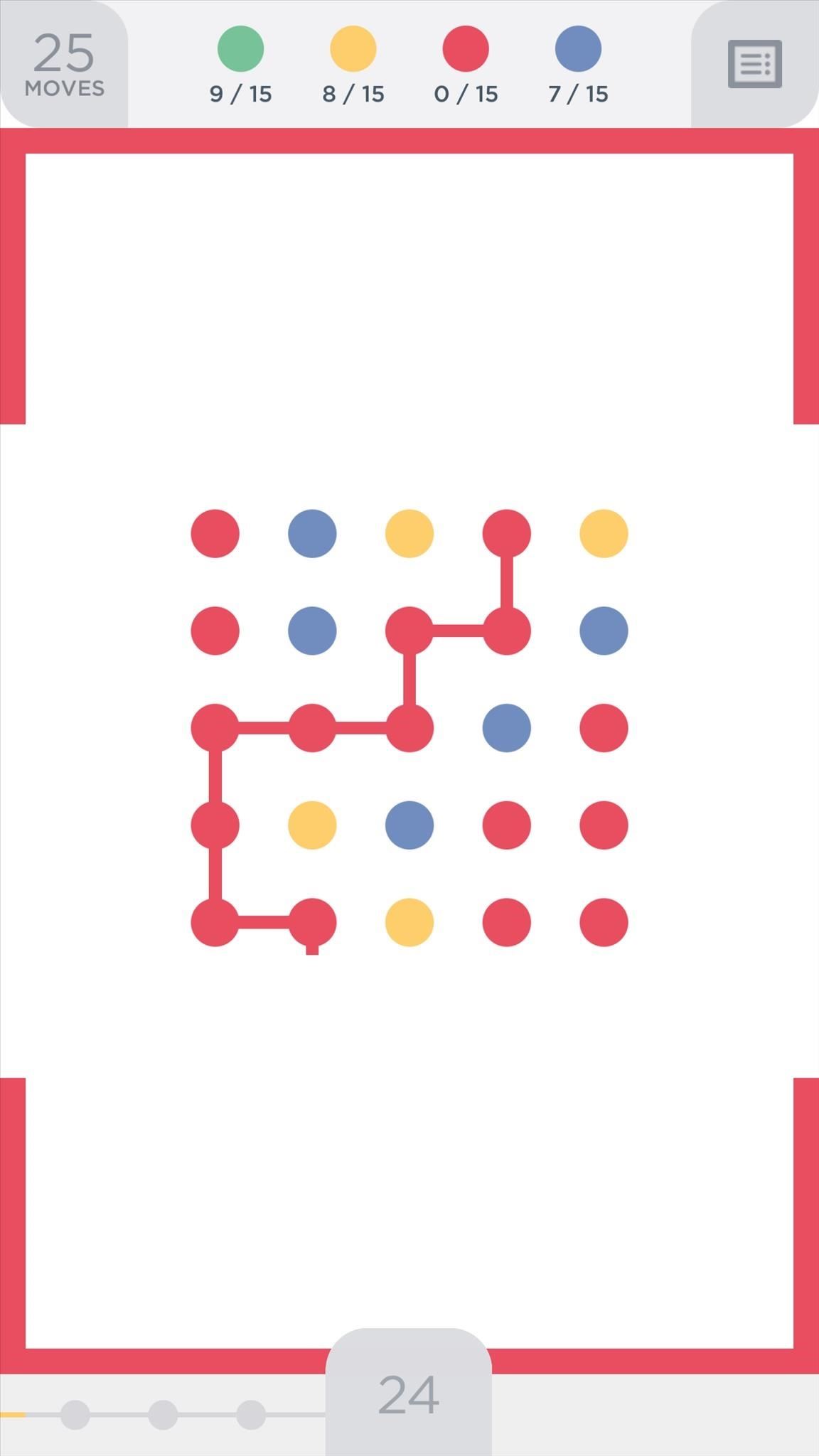
3. Two DotsNot only is Two Dots entertaining, it's very visually appealing with its simple design. The game requires you to connect two or more dots of the same color in order to remove them from the grid. Each color requires a specific number to eliminate. It's an uncomplicated game, but it gets more difficult as you get into the higher levels. Overall, it's quick to play and offers tips and tricks as you get further along.Two Dots has objective-based tasks to add a little flavor to the game, which primarily consist of connecting a set of dots within a given number of moves in order to progress to the next stage. The game gives you five lives to start with, which then regenerate every 20 minutes. With its simple, intuitive gameplay and minimal ads, Two Dots comes highly recommended.Install Two Dots: Android | iOS
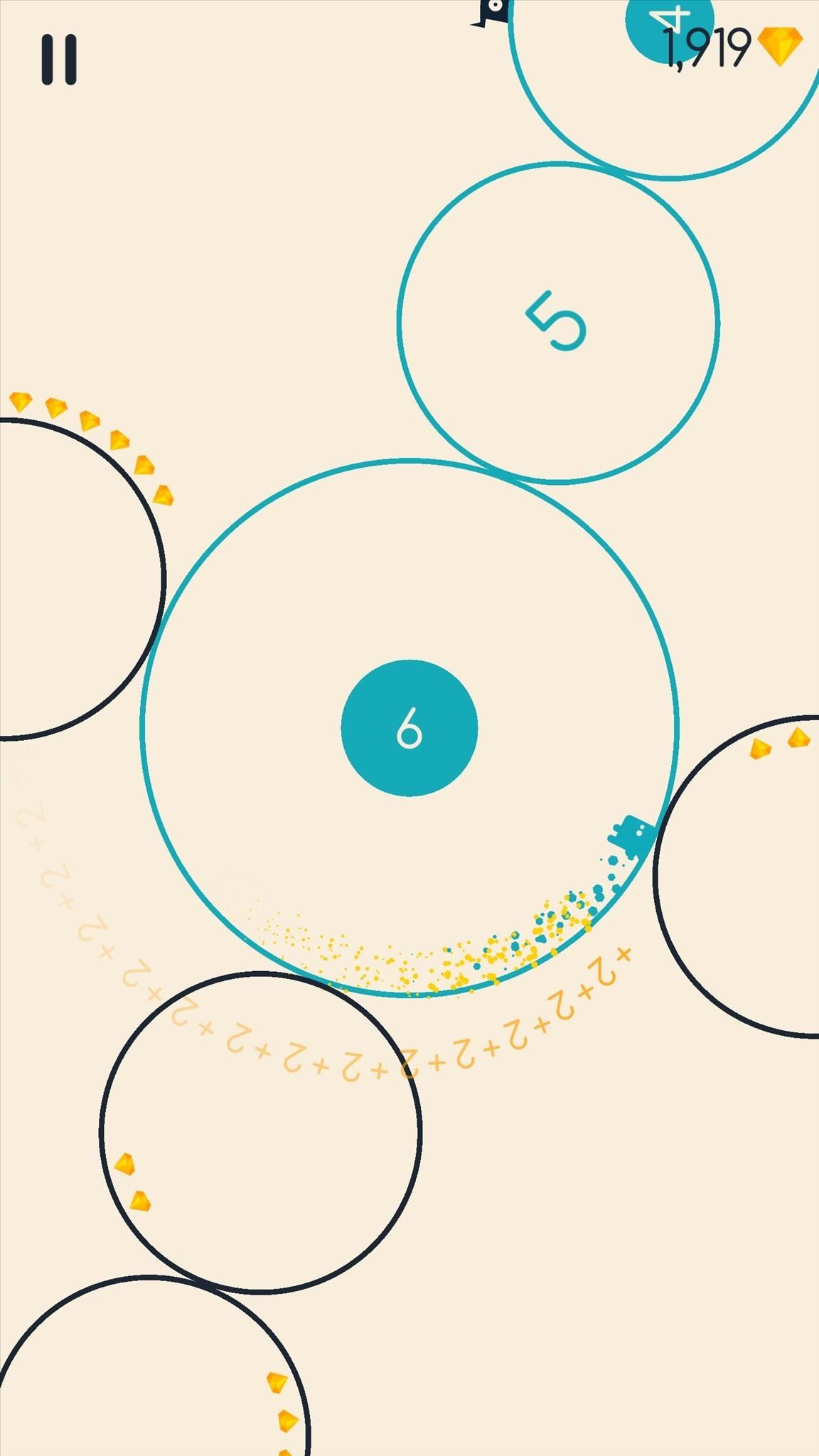
4. Running CirclesRunning Circles has a simple premise: Tap to move from circle to circle, avoiding Minion-esque creatures as you collect all the diamonds you can. Test your skill as you switch between running within or outside of the circles, transferring from one to another as you improve your high score. Each attempt will render a new, challenging obstacle, packed with monsters to avoid and more precious diamonds to collect.Controls are easy, just tap on the screen to jump into another circle, or to go from inside to outside. Timing is critical, however, as getting caught in between circles while on the outer perimeter spells instant death. Ads are optional in Running Circles, which gives you a chance to continue where you died by either spending diamonds or watching a commercial. If you need a serious challenge while dropping a deuce, Running Circles is the game for you.Install Running Circles: Android | iOS Don't Miss: The 10 Best Free Shooting Games for Android & iPhone
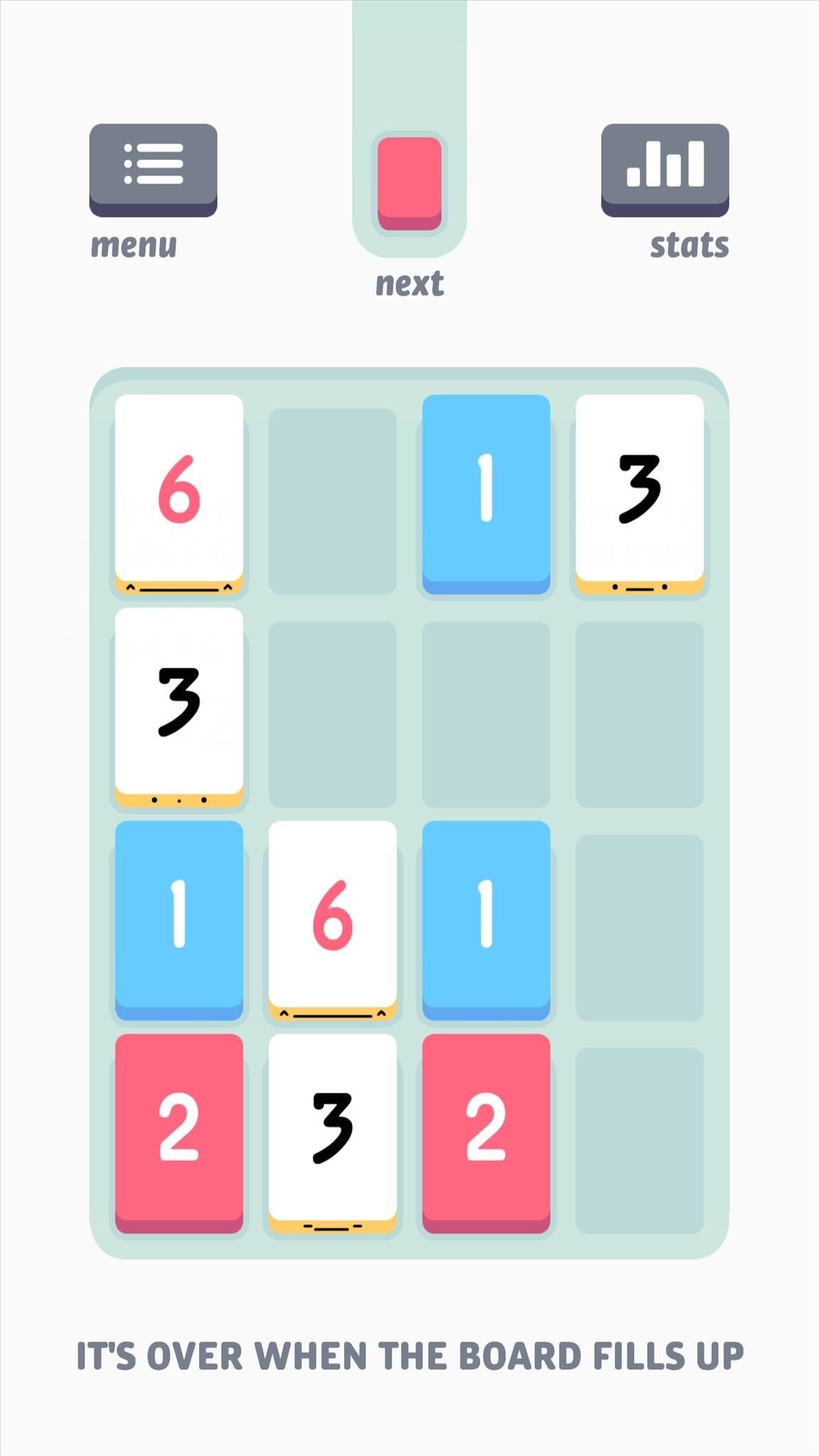
5. Threes! FreeIf you're a fan of the puzzle game 2048, then definitely try out Threes. Swipe to combine numbers and increase their totals. Two can be added to one, but after three, only duplicate numbers can be combined.Trust me, you can just pick this up and start playing immediately — it's nowhere near as confusing as I'm making it sound. The game also gives you a simple tutorial that is very helpful.In addition to intuitive controls that you instantly adapt to, Threes also features no intrusive ads, offering them only as an option which rewards you with extra lives. If you love math-based puzzles while plopping down number twos in the bowl, Threes is just the game for you!Install Threes: Android | iOS
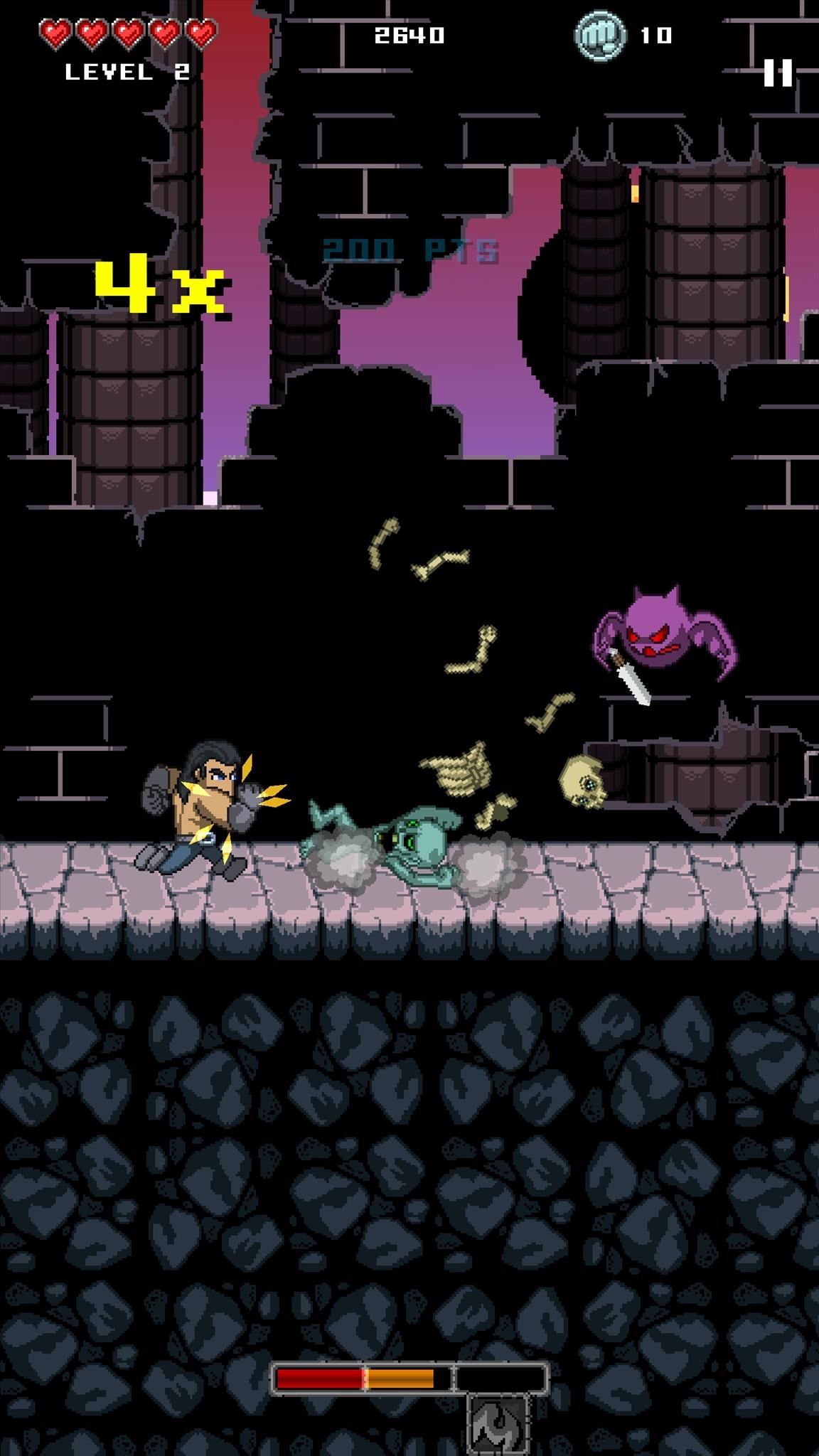
6. Punch QuestIf you have a hankering for a quick action-packed game to play while on your bathroom break, Punch Quest is just the game for you. There isn't much to explain with the game — your character sprints forward as you punch or viciously uppercut the oncoming assault from goblins, ghouls, or other creatures.Controls are easy to master — just tap on the left side of the screen to jump around, pummel enemies by tapping on the right side, and defend yourself from enemy strikes by tapping on both sides simultaneously. Ads are very minimal, and only appear occasionally in between gameplay.Install Punch Quest: Android | iOS Don't Miss: The 9 Best Free Trivia Games for Android & iPhone
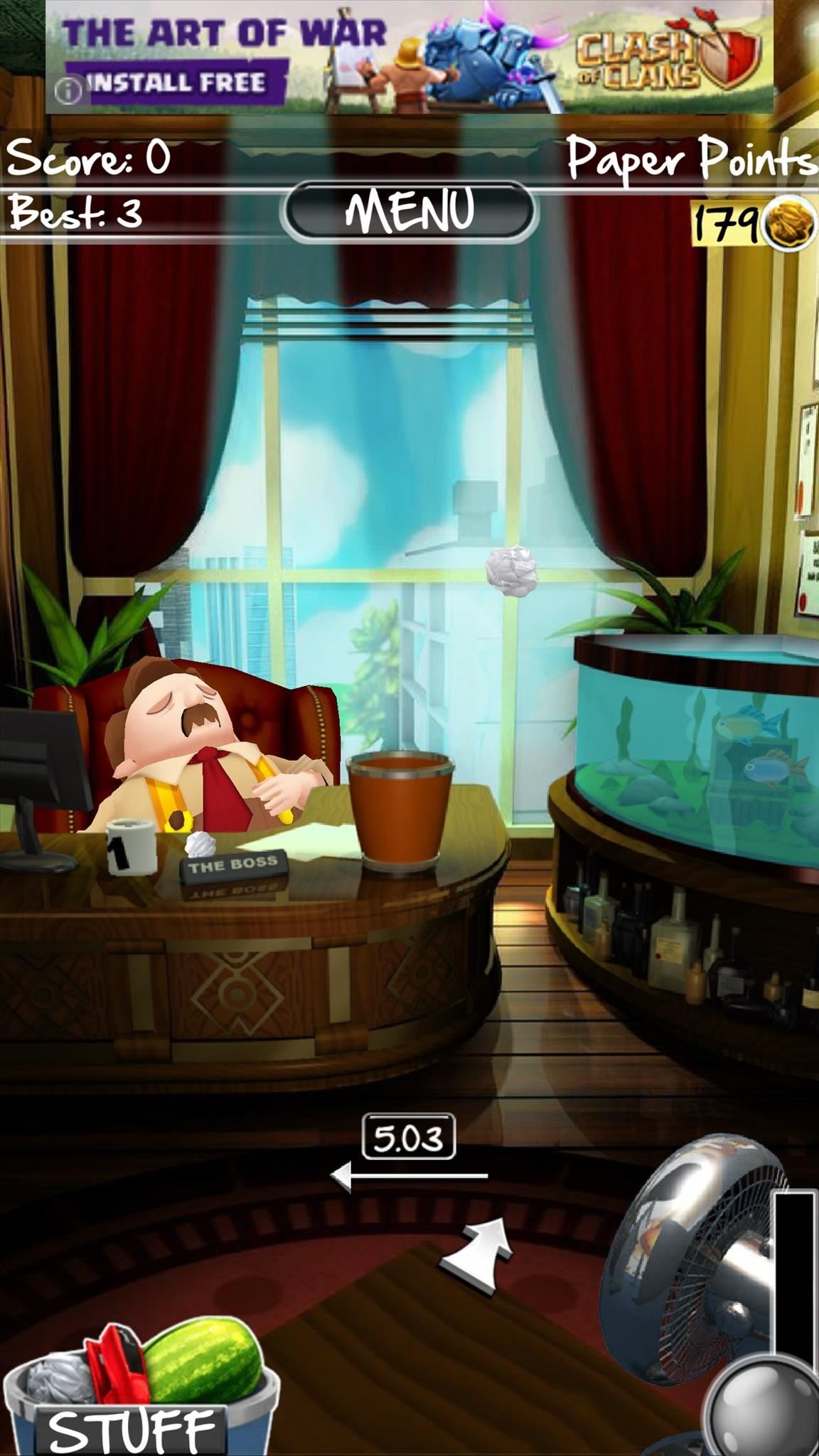
7. Paper Toss BossWho doesn't love trying to score a basket with a crumpled-up piece of paper? Instead of picking up your trash every time you miss, play Paper Toss Boss and put your skills to the test while the office intern rolls past you with the basket. It's simple, and all you need to do is flick the display with your finger.Ads featured in Paper Toss Boss are largely out of the way. There's a small banner up top and an option to watch additional ads that give you rewards. These bonuses, such as points multipliers, help you rack up even more points with each bucket you make to set new records every time you play.Install Paper Toss Boss: Android | iOS Note that this app is the official, non-malicious version of Paper Toss.

8. Crossy RoadCrossy Road is essentially a revamped and improved version of the classic Frogger game. Tap and swipe to get your character as far across the maps as you can, dodging the countless obstacles in your way. It's entertaining enough and you can unlock a plethora of additional characters for free.Crossy Road is one of the few games out there that offers an entirely ad-free experience, which is truly quite refreshing considering it's a free game. That said, the game would still be highly recommended even if it did come with ads, and overall, it's a great way to kill time while in the toilet.Install Crossy Road: Android | iOS
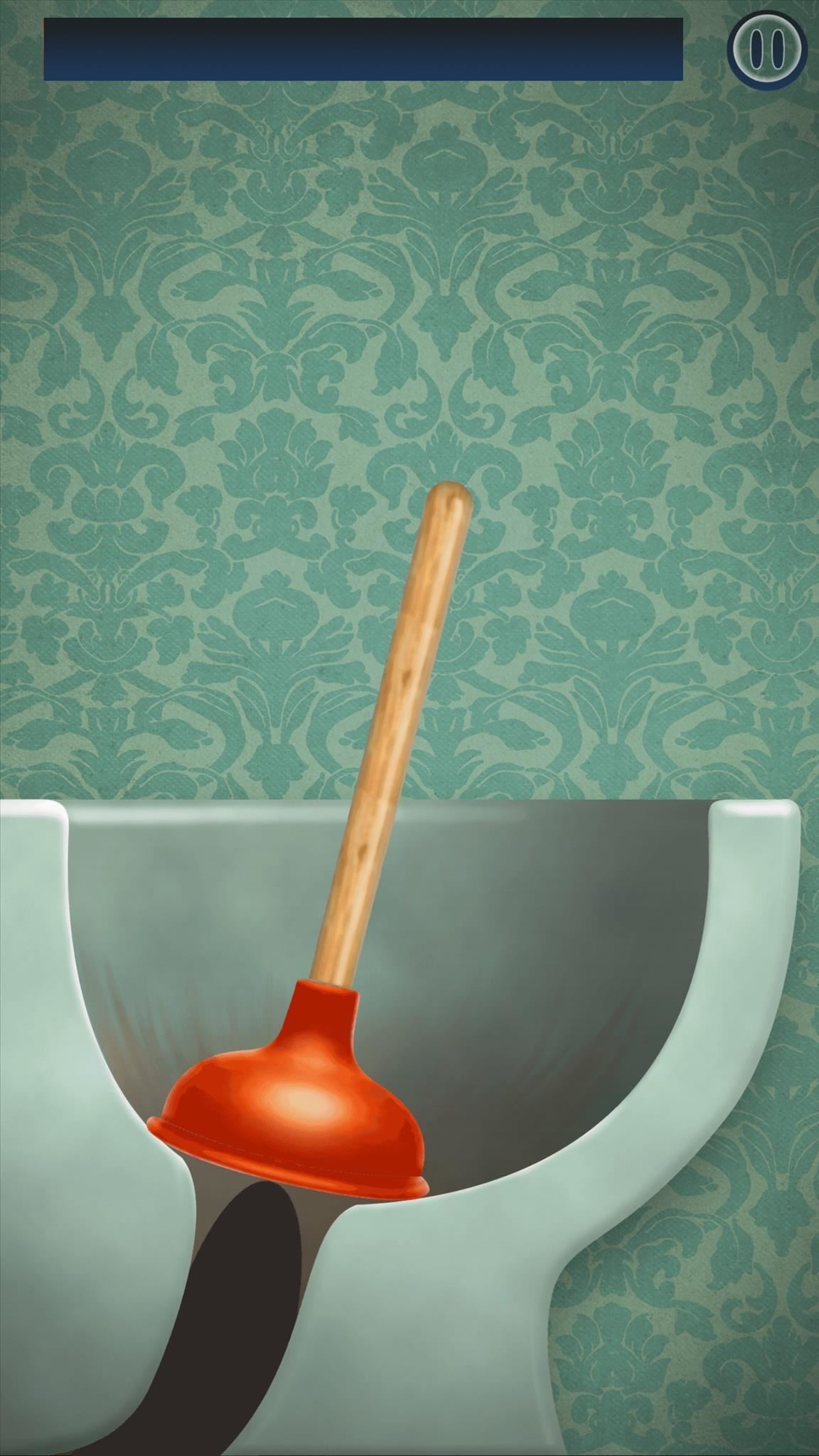
9. Toilet TimeIt's only appropriate to leave a game called Toilet Time as the last one in this list. Designed specifically for bathroom breaks, Toilet Time is a medley of mini-games combined into one experience. You have four lives to begin with, and every failed mini-game will eliminate one.There's an option to permanently remove ads for $1.99, but they only appear occasionally in between game sessions and are easily closed. So even with the ads intact, the game is still quite enjoyable to play, as ads don't ruin your overall experience in any way. Toilet Time truly is the ideal game to play while unloading in the bathroom, and it comes highly recommended.Install Toilet Time: Android | iOS Hopefully these games keep you entertained while you're dropping the kids off at the pool, but be sure to let us know some of your personal favorite games to play while you sit on the porcelain throne.Don't Miss: The 3 Best Gaming Phones RankedFollow Gadget Hacks on Facebook, Twitter, Google+, YouTube, and Instagram Follow WonderHowTo on Facebook, Twitter, Pinterest, and Google+
Cover image and screenshots by Neil Gonzalez/Gadget Hacks


How to install Facebook lite on iPhone 2018 | iRakTech Messenger lite . In this video I'm showing u how to create an Apple ID account in turkey. Iink create Apple ID

This subreddit is NOT for your own personal gain. If you wish to promote your Blog, Stream, or YouTube channel, please message the moderators. Links or image posts that are not related to Android without the help of the title will be removed. Please keep the cases, skins, and Nexus photography to a minimum. We've seen so many posts already.
How to Root the Nexus 6P or Nexus 5X on Windows, Mac, or


Jeri explains how to make a IR detection device with by quenching ZnS:CU glow powder and how to measure temperature with thermally quenched phosphors.
How to Measure temperatures « Science Experiments :: WonderHowTo


just in: #android 4.4.4 rolls for #Xperia Z, ZL, ZR & Tablet Z - brings fixes, battery, wifi & email improvements and more #SonyXperia — Sony Xperia News (@SonyMobileNews) September 9, 2014
Transform Your Android into a Sony Xperia Z3 « HTC One


Everything you need to know to DIY (do-it-yourself) repair a stuck or broken power button in your iPhone! The iPhone has been plagued with power button issues since the debut of the iPhone 4. We've seen complaints from many readers that their iPhone power buttons are completely recessed and no longer register when pressed.
How to Use Your iPhone With a Broken Home Button - YouTube


Google Search. Food Ordering Features Now Available in Google's Mobile Apps. MacRumors - Tim Hardwick. Google has incorporated food ordering features into its mobile apps, allowing iOS and Android users to order food directly from a range of companies without having to install an additional app or visit a website.
Android और iOS पर Google Search से सीधे फूड ऑर्डर करें


Smartphone cameras are getting more advanced with each new generation, while the apps used to capture, edit, and share photos have become more intuitive. So it's no surprise that people are
How to Screen Capture your Android Phone? - YouTube


How To: Drinking Games That'll Make Your Party the Party of the Century How To: Make Trippy EL Wire Headphones That Dance to the Beat of Your Music Apple AR: Play Beer Pong Anytime with Augmented Reality Game How To: Make a custom beer pong or beirut table
How to Auto-Start Your Favorite Music Player When Plugging


This document explains how to embed a YouTube player in your application and also defines the parameters that are available in the YouTube embedded player. By appending parameters to the IFrame URL, you can customize the playback experience in your application.
Embed YouTube Video Code || 100% FREE to Use - No Signup


Your Android device can begin booting then after the Android logo it goes into an endless boot loop- stuck in the Android screen. At this point you are unable to make anything work on the device. It is even more stressful when you don't know what to do to fix Android stuck on boot screen.
How To Change, Customize & Create Android Boot Animation [Guide]

How to Disable Notification Previews for All Apps with iOS 11


I am making a project on LED flash to music using Arduino Uno board. Look Reference: Make LEDs Flash to Music Using Arduino Now, my question is, How can I adjust the tune of lights or what program I should write for tunning.
The 5 Stages of an Electronic Music Producer (and How to

How to Mirror & Control Your Android's Screen on Your Windows


16. Like most apps available for iPhone & iPod Touch, you can run it on an iPad. However, the images aren't optimized for the iPad screen resolution, so the wallpapers will look terrible - grainy and pixelated. If you're looking to customize your iPhone or iPod Touch wallpaper with cool user generated content, Grallery is a fun app to use.
How to Unlock your iPhone or iPod Touch to bypass the


If the Lens service fails to identify an image, it falls back on the power of Google's search engine to let you look it up yourself. Try Google Lens out with Google Lens Launcher for Google Photos
Google Lens app vs. Lens in Google Photos: Which is better