How To: Bypass Candy Crush Saga's Waiting Period to Get New Lives & Levels Immediately

How To: Bypass Candy Crush Saga's Waiting Period to Get New Lives & Levels Immediately

There's an easy time hack available for Candy Crush Saga that let's you bypass the time restrictions to you can play more games faster, and this video guide from KiboshGaming will walk you through it on both Android and iOS devices. Please enable JavaScript to watch this video.
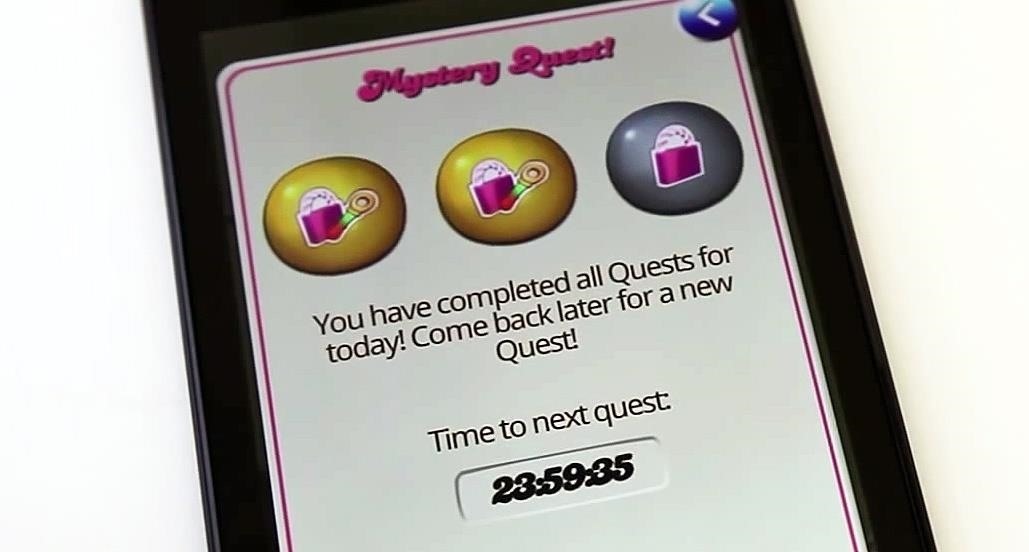
There is no real "hacking" involved here. Whenever you lose all 5 of our lives and have to wait to play, you simply change your device's date and time manually to trick Candy Crush into giving you more lives earlier. This also will help you bypass the 24-hour time restrictions for new Mystery Quest levels—without bugging your Facebook friends.
Getting New Lives Faster on Android Phones & TabletsIt's a really easy process, but one you have to follow exactly, less you want to have to wait longer than normal. Even if you mess up, there's a way to fix it. The below instructions are for a Nexus 7 tablet with Android 4.4 KitKat, but adjusting time/date settings on other Android devices will be very similar.Lose all lives Exit the Candy Crush app Open your device's Settings menu Tap on Date & time Unselect Automatic date & time Tap on Set date Change the date to at least 1 day earlier Tap on Done Exit the Settings app Go back to Candy Crush Verify you have new lives DO NOT PLAY Return to your Date & time settings first Select Automatic date & time Then go back to Candy Crush and play If you start playing before you change the date/time back to automatic, the next time you lose all of your lives you will receive a ridiculously large countdown to your next set of lives. This amount of time will roughly equal the amount of time you set your date back.To fix, just go back and set your date/time manually to be ahead of the countdown time, verify you have new lives in Candy Crush, set the time/date back to automatic—then play.

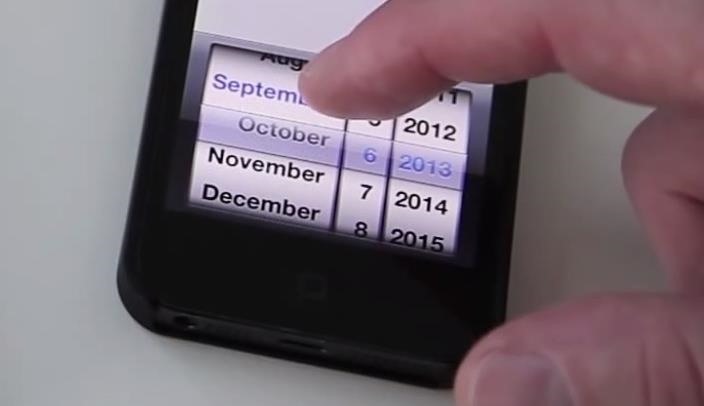
Getting New Lives Faster on iPads, iPhones, & iPod TouchesTo get new lives quicker on iOS devices, the process is pretty much the same as above. The instructions below are for an iPhone 5 with iOS 6, but it works exactly the same in iOS 7 too. For an updated guide just for iOS 7 devices, click here.Lose all lives Exit the Candy Crush app Open your device's Settings menu Tap on General Tap on Date & Time Unselect Set Automatically Tap on Set Date & Time Change the date to at least 1 day earlier Tap on Date & Time to return Exit the Settings app Go back to Candy Crush Verify you have new lives DO NOT PLAY Return to your Date & Time settings first Select Set Automatically Then go back to Candy Crush and play Again, if you start playing before you set your time back to automatic, the next time you run out of lives you will have a larger-than-usual countdown clock. To fix, just do the same as listed above for Android devices. If you ever have any questions or problems with this, post the below, but I've found that if you follow the steps exactly, it works every time.


Droid Updatez: How to Bypass Candy Crush Saga's Waiting Period to Get New Lives & Levels Immediately. How to Bypass Candy Crush Saga's Waiting Period to Get New
How to Bypass Candy Crush Saga's Waiting Period to Get New

How to Bypass Candy Crush Saga's Waiting Period to Get New


How to Bypass Candy Crush Saga's Waiting Period to Get New Lives Levels Immediately Hey guys you all must love to play Candy crush and just love play it ion idol time, likw while traveling or when you are getting bore somewhere.
How to "Hack" Candy Crush Saga - Skip Time Restrictions


This video will show you how to do all of the following in Candy Crush Saga for iOS devices (iPad, iPhone, iPod touch). 1. Bypass the countdown clock for new lives immediately 2. Skip the 24-hour
How to Skip Time Restrictions for Candy Crush Saga on Your


How to Bypass Candy Crush Saga's Waiting Period to Get New Lives & Levels Immediately Actually there is no real "hacking" involved over here. Whenever you lose all 5 of your lives and have to wait to play, you simply change your device's date and time manually to trick Candy Crush to give you more lives earlier before the actual time.
How to Bypass Countdown and Get New Lives & Levels on Candy


To fix, just go back and set your date/time manually to be ahead of the countdown time, verify you have new lives in Candy Crush, set the time/date back to automatic—then play. Getting New Lives Faster on iPads, iPhones, & iPod Touches. To get new lives quicker on iOS devices, the process is pretty much the same as above.
How to Bypass Candy Crush Saga's Waiting Period to Get New


Candy Crush Saga Hard Levels: Level Tips and strategies to get past this challenging level. Best Methods for Candy Crush Level Skip [New] candy crush now How do I clear Candy Crush Level - Without The Sarcasm A very funny blog post about Candy Crush Level 70. This will only be funny if you've been there. See more
Omgå Candy Crush Saga's Waiting Period for at få nye liv og


Omgå Candy Crush Saga's Waiting Period for at få nye liv og niveauer straks Der er en nem tid hack til rådighed for Candy Crush Saga, som giver dig mulighed for at omgå tidsbegrænsningerne, så du kan spille flere spil hurtigere, og denne videoguide fra KiboshGaming vil lede dig igennem den på både Android og iOS-enheder.


GETTING NEW LIVES / LEVELS IMMEDIATELY: To bypass the countdown clock after you lose all 5 of your lives in Candy Crush (or the 24-hour waiting period during the Mystery Quest levels), make sure
How to Bypass Candy Crush Saga's Waiting Period to Get New


The above video will cover how to bypass the countdown clock for new lives immediately, how to skip the 24-hour waiting period for new stages (i.e. Mystery Quest levels), and the troubleshooting steps to fixing the 1,000+ minutes left problem you may get (which happens if you screw up and start playing before you're supposed to).
How to Hack Candy Crush Saga Skip Time Restrictions & Play


How to Bypass the Waiting Period to Get New Lives. Follow the steps below to get new lives immediately and start playing your game, after exhausting the 5-set lifelines on Candy Crush Saga: Exhaust all five lives and close Candy Crush. Navigate to Settings on your device. Locate and click on General > Date & Time.
How to Bypass Candy Crush Saga's Waiting Period to Get New

Cheap Phones Ranked: The 4 Most Durable Budget Phones for Clumsy People
Cheap Phones Ranked: The 4 Most Durable Budget Phones for Clumsy People

Clumsiness is the great equalizer when it comes to smartphones — it makes no distinction between the most expensive flagship handset and cheaper mid-range models. A hard drop onto pavement will usually result in a shattered screen, regardless of how pricey your device is. And with a smartphone breaking every two seconds, we're truly our own handset's ultimate nemesis.Thankfully, more and more manufacturers are realizing this unfortunate fact, so they've started using premium materials such as Gorilla Glass and aluminum frames even when their phones don't cost an arm and a leg. Not only does this give mid-tier handsets a more flagship feel, but it also improves their overall durability.With a huge variety of budget handsets available, we wanted to see which ones were more rugged and resistant to clumsiness. So we tested the most popular mid-range handsets and came up with a list of the four phones that were all but klutz-proof. After quite a bit of research and experimentation, here are our picks. Image by Amboy Manalo/Gadget Hacks Don't Miss: The 3 Best Gaming Phones Ranked
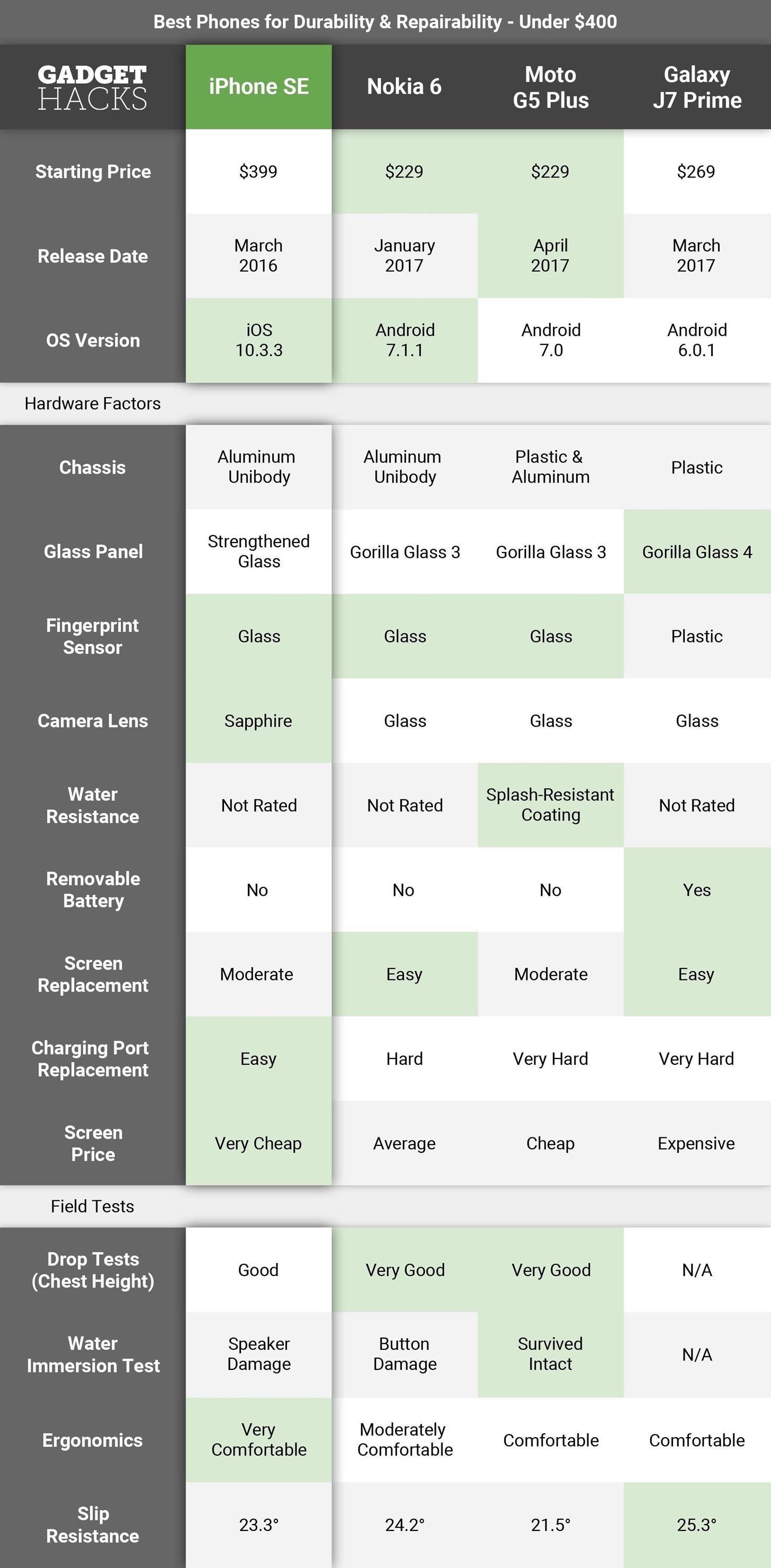
Key Comparison PointsOur primary goal was to determine which of the most popular current-generation handsets available in the US are ideally suited for people with clumsy tendencies. In order to do this, we came up with the following comparison points.Chassis: To strike that fine balance between aesthetics and durability, a phone must be well-made using quality materials to make this list. Handsets like the Nokia 6 that are clad in an aluminum unibody shell are ideal in this regard, as it offers maximum protection against drops, while giving the device a premium feeling on par with more expensive flagship phones. Glass Panel: Smartphones use different types of glass panels to protect their displays. These panels have varying degrees of anti-shatter and anti-scratch technologies, and the best protection available right now is Gorilla Glass 5. While we don't expect mid-level devices to sport the latest Gorilla Glass 5, we made sure to choose handsets that come standard with Gorilla Glass 3 or equivalent at a minimum. Fingerprint Sensor: The use of high-end materials on smaller components like the fingerprint sensor not only lends to a phone's premium feel, but also adds to the overall sturdiness of the handset. A scratched or cracked sensor can hinder a phone's ability to read fingerprints. Camera Lens: A scratched camera lens can affect a phone's photo quality, and a cracked lens can do the same, in addition to compromising a handset's resistance to water and other contaminants. A sapphire crystal lens is harder than glass, which makes this component more durable. Water Resistance: Unfortunately, today's mid-level handsets don't offer any official IP ratings for water and dirt resistance, mainly to keep their prices as low as possible. The Moto G5 Plus has a leg up over its competition in this regard, as it's coated with a water-repellent finish that offers some degree of protection against the elements. Removable Battery: Batteries will need to be replaced sooner or later, so devices with removable batteries (such as the US variant of the Galaxy J7 Prime) hold an advantage over the rest of the phones in this list. Apart from that, handsets with removable batteries are significantly safer and easier to perform repairs on, so you usually won't pay as much when you need something fixed. Screen Replacement: Shattered screens are the most common reason a phone comes in for repairs, so it's important to know how easy it is to replace a phone's screen assembly. The easier it is to replace a screen, the less risk there will be in breaking other components while performing the repair. To gauge this repair's overall difficulty, we determined which handsets required the fewest steps to safely replace a screen assembly. Charging Port Replacement: The charging port is another major component that's likely to break due to wear and tear from its constant cycle of plugging and unplugging. Thankfully, more and more handsets, regardless of price, are taking the modular approach in terms of engineering, making repairs on smaller parts such as charging ports easier to perform. Screen Assembly Price: Affordable spare parts translate to cheaper repairs, giving the user more incentive to repair his or her shattered device. Data for parts was sourced from Parts4Repair and Mobile Defenders. Screen assemblies (made up of the LCD display and protective glass panel) were given as primary examples, since these parts represent a majority of mobile repairs. Please note that prices listed are only for the part alone and subject to change. Drop Tests: Drop tests are usually done in varying heights, starting from about three feet, and they help us see how well a handset will hold up if it takes a tumble. The data listed here was sourced from various YouTube channels. As we found no drop tests done on the stateside variant of the J7 Prime, we decided to analyze tests done on the international version of the J7, paying very close attention to front-facing drops due to their similarity. Water Immersion Test: These tests involve immersing a device in a bowl of water, usually lasting about a minute, to determine how well it's protected against liquid damage. The data here was also sourced from various YouTube channels. As we found no water immersion tests done on the stateside variant of the J7 Prime, we decided to analyze tests done on the international version of the J7 as they are similarly built, apart from the metal construction and non-removable battery found on the latter. Ergonomics: Ease of use is a vital feature that every great smartphone has. A phone that is easy to manipulate with one hand has fewer chances of accidental slips and falls. Key factors in determining a handset's ergonomics are how easy it is to grip, and the ease with which we can reach all corners of the screen and external keys with one hand. Slip Resistance: A smartphone's overall texture goes hand in hand with its ergonomics. To get this data, we used the same tilting rig we devised to determine the four best premium phones for clumsy people, which measured the angle (in degrees) where each phone started to slip on multiple surfaces, then averaged the numbers out.
How We Picked These PhonesWe had to set some ground rules to determine which handsets would make the cut. First, the handsets had to be current-generation mid-tier devices with prices ranging between $200 and $400, and they had to be available for purchase in the US at the time of this writing.Another important consideration in our final selection was overall build quality. A handset with a glass enclosure will naturally be more susceptible to shattering during a fall or a bad bend, so we had to rule out devices with glass backs, along with any phones that used a display panel made of Gorilla Glass 2 or less.Finally, we ruled out phones that needed to be completely disassembled in order to perform a screen repair. The likelihood of doing further damage to a phone with a cracked screen increases with every extra step, especially if you intend on doing any repairs yourself.As a result, we disqualified these potential contenders for not meeting our criteria:Alcatel Idol 5s (glass enclosure, parts hard to find) Apple iPhone 5s (discontinued) Asus Zenfone 3 Zoom (complete disassembly for screen repair) Huawei Honor 6x (front glass not scratch resistant, failed durability test) Huawei Honor 8 (glass enclosure, complete disassembly for screen repair) Sony Xperia XA Ultra (plastic lens, complete disassembly for screen repair) ZTE Axon 7 Mini (complete disassembly for screen repair, parts hard to find) ZTE ZMax Pro (poor ergonomics, complete disassembly for screen repair) You don't have to be an expert to know how fluid the mobile industry is nowadays. In a never-ending bid to outdo each other, major companies like Samsung are constantly releasing ever more advanced smartphones that will inevitably render some handsets on this list obsolete. That said, we'll be sure to update this article as soon as upcoming devices like the IP68-rated Moto X4 and aluminum-clad Samsung Galaxy C7 touch down stateside for us to analyze and review.
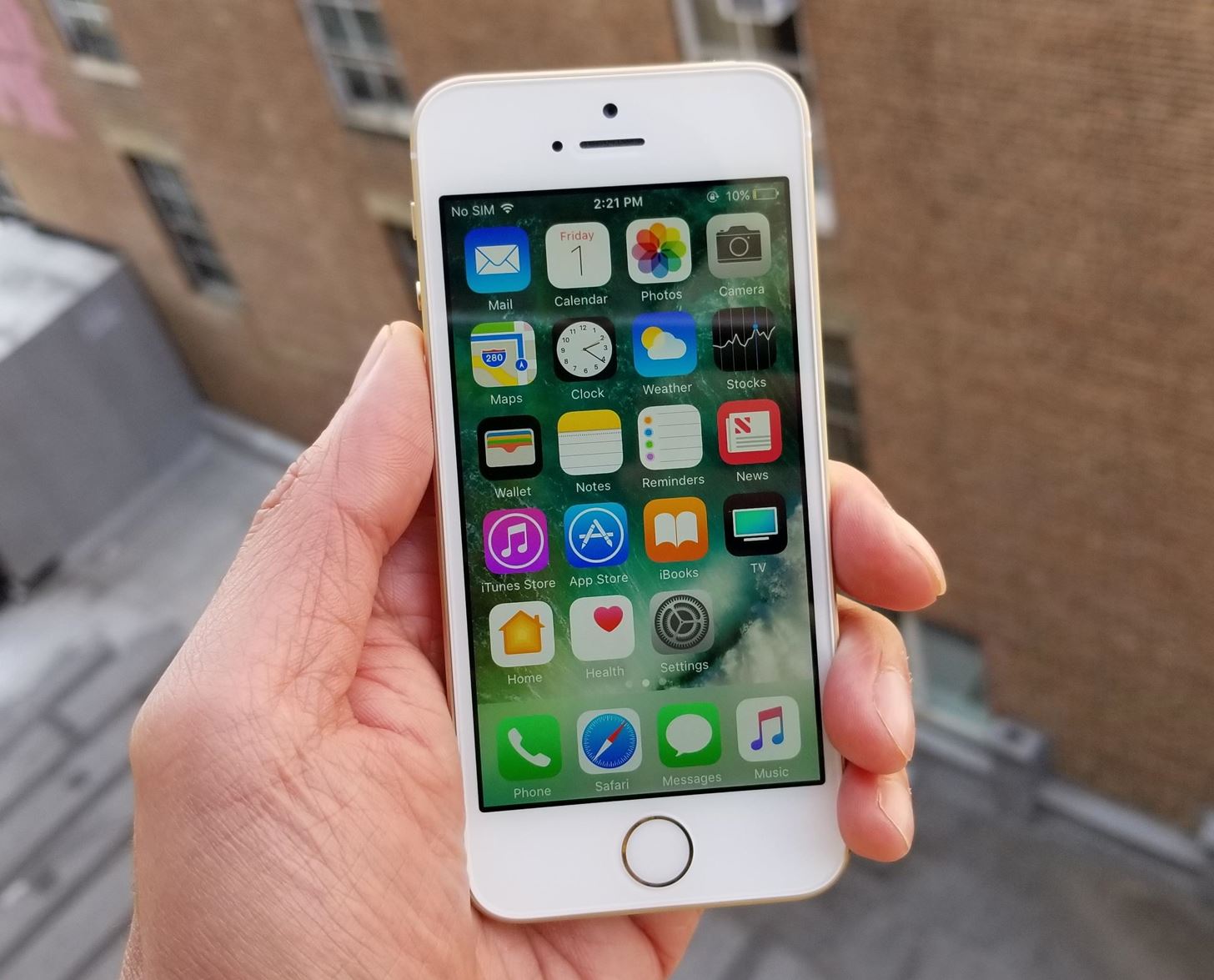
Phone 1. iPhone SEReleased back in March 2016, the iPhone SE still continues to be Apple's sole entry-level smartphone for budget-minded consumers. The iPhone SE is basically an iPhone 6s crammed into a 5s frame, and despite its age, it's undoubtedly the most popular budget handset out there. Thanks to its 64-bit architecture and modern internals, the SE will be supported by Apple well into the future, including the upcoming iOS 11 and subsequent incremental updates. With a starting price of $399, though, the SE is the most expensive smartphone to make our list. Image by Amboy Manalo/Gadget Hacks The SE sports premium materials such as an almost-all aluminum unibody frame and high quality ion-strengthened glass that's equivalent to at least Gorilla Glass 3 in terms of resistance to cracks and scratches. The iPhone SE is the only handset in this list that uses sapphire crystal for its camera lens, albeit impure. According to JerryRigEveryting, the camera lens in an iPhone SE is actually a mixture of sapphire crystal and glass, and contains trace amounts of carbon and silicon that make it less resistant to cracks and scratches.Don't Miss: Check Your iPhone for 32-Bit Apps That Won't Work in iOS 11Anyone who's ever owned Apple's 5s series handsets will feel right at home with the iPhone SE, as they share the same dimensions. Coming in at 4.87 x 2.31 x 0.30 inches in size, the iPhone SE is hands down the most ergonomic phone in our list. Button placement is also intuitive, with very minimal hand movement required to reach out for its external keys.When it comes to overall repairability, the iPhone SE reigns supreme over the handsets in this list. The SE is very easy to disassemble — simply unscrew the bottom screws, then pry the screen assembly off the housing while being careful not to tear the home button cable located on the bottom. From there, simply unscrew the reinforcement plate and unplug the connectors to separate the screen assembly from the housing. iPhone SE opened up, with the LCD assembly connector plate removed. Image by JerryRigEverything/YouTube Screen assemblies for the iPhone SE are incredibly easy to find, and with an average price of $25, it's the cheapest to repair out of all the phones in the list. Just note that small components, such as the home button and earpiece/proximity sensor assembly, will need to be transplanted onto the new assembly, so care must be taken when performing this repair.Because of how easy it is to open the SE up, repairs on other parts, such as the battery and charging port, are also simple when compared to the other phones in this list. The parts are modular, and replacing a broken charging ports is just a matter of removing screws that hold the part in place.The iPhone SE performed very well in drop tests, as shown by EverythingApplePro. The device survived drops ranging from about three feet to six feet onto pavement, with the screen finally succumbing from about a 10-foot drop. The housing also bent under the strain of multiple drops from about 10 feet, which also caused the top of the housing to separate from the beating it took. Bent housing on an SE after a drop from 10 feet. Image by EverythingApplePro/YouTube A durability test by JerryRigEverything on the iPhone SE showed the handset bending under strain, exposing the weak spots in the SE's aluminum frame, namely the thin areas around the volume keys and the SIM card tray. Though the SE is easy enough to bend back into shape in the event of an accident, the areas mentioned will remain deformed, so we recommend not keeping your iPhone SE in you rear pocket and sitting on it. Image by JerryRigEverything/YouTube The iPhone SE has no official IP ratings for water and dirt resistance, so appropriate care must be taken whenever you're near water. Due to its tight tolerances, the SE should offer some degree of protection against unforeseen occurrences like getting caught in the rain, though more severe exposure to liquid such as an accidental drop in the sink will lead to severe damage of the device.Don't Miss: Tips from a Tech: Save Money on iPhone Repairs by Knowing Your Options
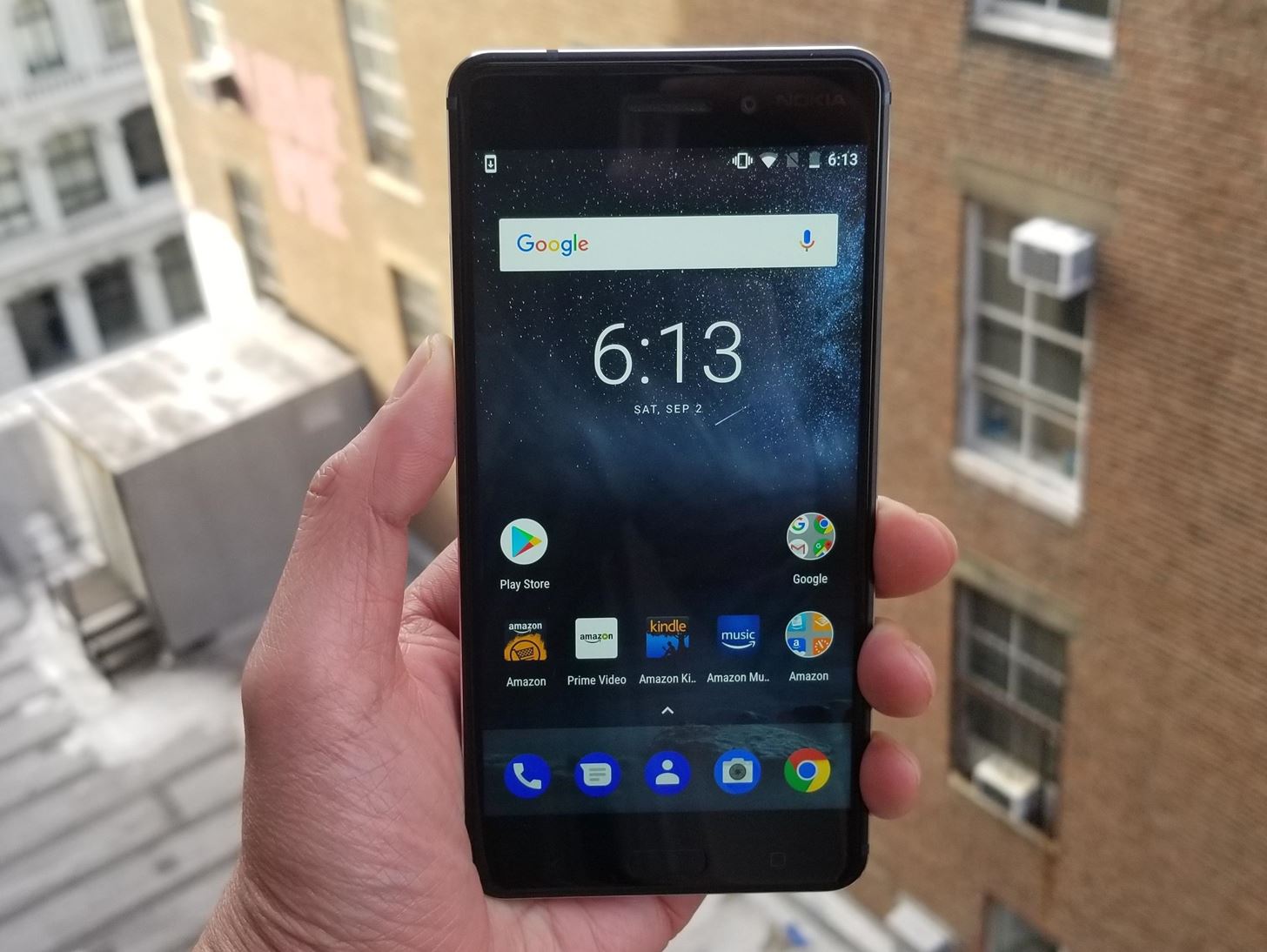
Phone 2. Nokia 6Finland-based HMD Global secured the rights to manufacture phones under the legendary Nokia brand in 2016, then released their first Android device shortly after in January 2017. The Nokia 6 definitely didn't disappoint — it sold out in one minute when the first batch became available. Starting out at an incredibly reasonable $229 (almost half the price of an iPhone SE), you get a powerful smartphone with external specs on par with flagship models.The Nokia 6 runs Android 7.1.1 Nougat out the box, and there's a promised update to 8.0 Oreo on the way. So while HMD doesn't have much of a track record yet when it comes to updating phones, it appears the Nokia 6 is the most future-proof device in this list in terms of software, which is a huge bonus given that there's no successor to the Nokia 6 on the horizon yet. Image by Amboy Manalo/Gadget Hacks The Nokia 6 stands out for its build quality and materials used. Its main housing is milled from a single block of aluminum, which gives it strength and rigidity when compared to phones that use a pressed aluminum housing.The Nokia 6 is the largest handset in our list, measuring 6.06 x 2.98 x 0.31 in inches. Despite its size, the 6 is relatively easy to use with one hand thanks to its design. Its width is greatly offset by a gently sloping back, making it comfortable to grip. The texture on the housing has a subtle grit to it that's apparent when held, giving the user a very secure feeling when holding the handset. Image by Amboy Manalo/Gadget Hacks The beautifully engineered Nokia 6 gets high marks for overall durability. The use of Corning Gorilla Glass 3 and high quality aluminum gives it superb protection against drops, dings, and bending. One notable durability test performed by JerryRigEverything showed the Nokia 6's incredible resistance to bending, leaving the YouTuber to declare the device as a "definite contender for the most durable phone of 2017."Don't Miss: The 4 Best Phones for Music Lovers — Under $400Spare parts are available and relatively easy to source online, though they aren't as widespread compared to the iPhone SE and J7 Prime. With an average screen price of $67, the cost of repairing a Nokia 6 with a shattered screen is quite reasonable and won't put too much of a dent in your wallet.As far as overall repairability is concerned, the Nokia 6 is a double-edged sword. As JerryRigEverything's video clearly shows, replacing a damaged screen assembly on a Nokia 6 is incredibly easy — simply heat up and remove the display assembly, unscrew a locking plate and unplug the connector, then install the new screen. From a repair technician's perspective, you couldn't ask for anything more! The Nokia 6 with the screen assembly off. Image by JerryRigEverything/YouTube However, replacing a charging port or another damaged internal component can be problematic, as the display assembly is very thin and fragile. This means it can easily be damaged during removal, which is necessary to access the rest of the phone. Though parts are modular and very easy to replace once inside, we would highly recommend letting an experienced technician repair broken charging ports or replace batteries due to the high risk of breaking the display.The lack of any water resistance rating against liquids and dirt means care must be taken when using your Nokia 6 when around water. Unlike higher end flagships like the upcoming Nokia 8, we highly recommend not taking the 6 to the shower with you to listen to music.Don't Miss: Meet the Nokia 8 — The First Android Flagship from the Iconic Brand
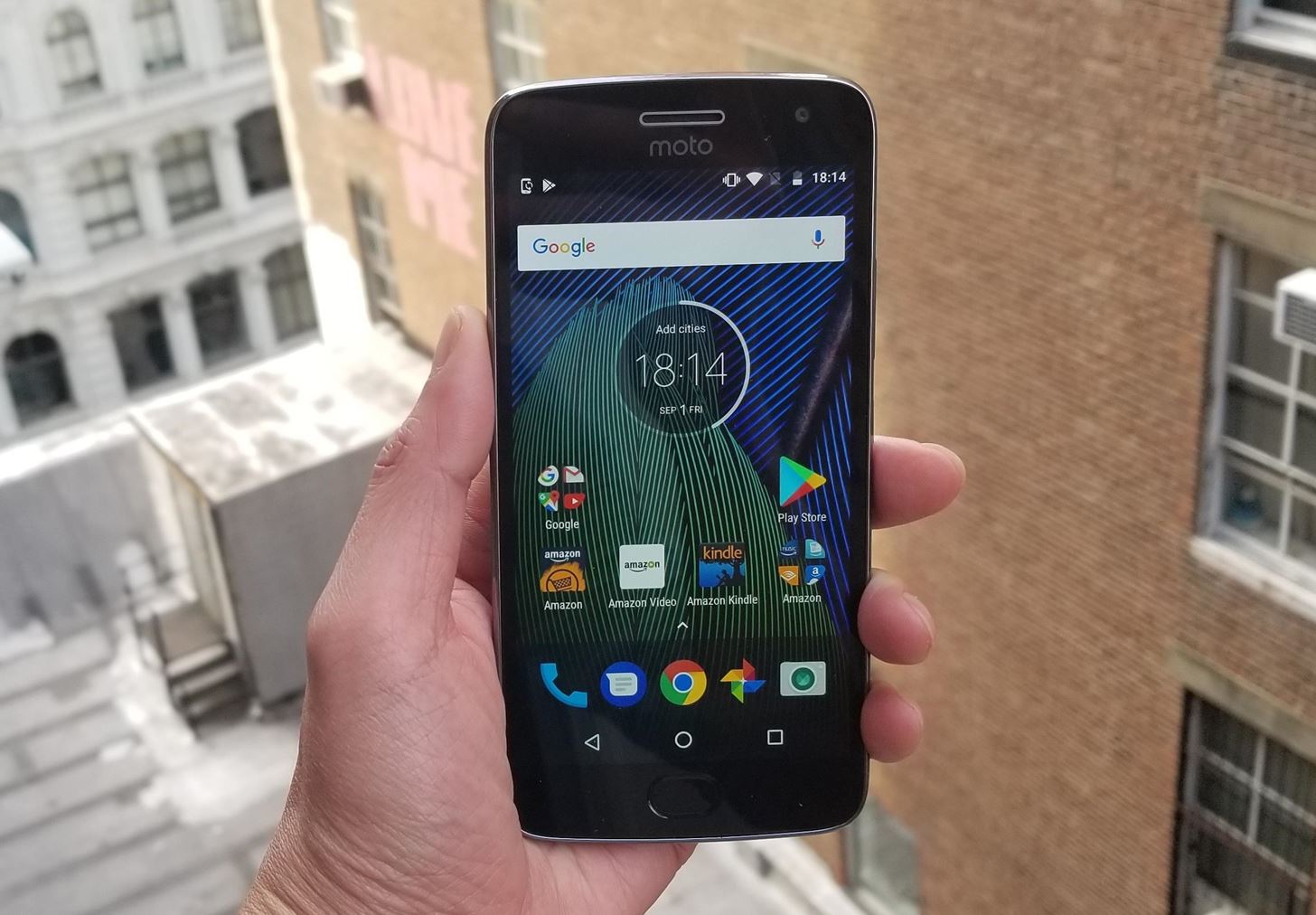
Phone 3. Moto G5 PlusThe Moto G5 Plus may not be at the top of this list, but don't let that fool you into thinking that it's somehow less durable than the iPhone SE or Nokia 6. In many respects, the Moto G5 Plus outshines both phones in terms of overall durability. A relatively new device that touched down in April 2017, the Moto G5 Plus can be purchased at around $230.It lags behind when it comes to software and future-proofing with an already-outdated Android 7.0 Nougat as its OS. And Motorola's new parent company Lenovo has demonstrated that they're not capable of handling updates well. But since this list is mostly about hardware, the Moto G5 Plus is still a great choice if you're looking for a beautifully built and sturdy handset on a budget. Those who value online security, however, may want to look to the Nokia 6 or iPhone SE due to their updated and secure software. Image by Amboy Manalo/Gadget Hacks The G5 Plus has a thoughtful design that utilizes a plastic frame with a metallic finish, which is accentuated by an aluminum rear plate and buttons. So it's no surprise that the handset performed the best overall on drop tests. A notable series of tests done by Wit Rigs showed the device surviving drops from heights ranging from three to more than six feet onto stone tiles and pavement, all without so much as a crack in the display.The plastic frame acts as a shock absorber that prevents energy from transferring over to the glass panel in a fall, particularly in in corner drops, which helps protect the screen from shattering upon impact. Despite sporting a plastic frame, the Moto G5 Plus is highly resistant to bending, thanks to two metal plates — one in the rear, and another situated between the motherboard and display assembly — that greatly aid in the handset's overall structural rigidity. Note the plate covering the motherboard, which keeps the Moto G5 Plus resistant to bending. Image by Fixez/YouTube The Moto G5 Plus is also the only handset in this list that offers some form of protection against water and dirt. Though it doesn't bear an official IP rating against the elements, the handset is finished with a water repellent nano-coating to help defend against light splashes. Though the Moto G5 Plus was the only handset in this list to survive a water immersion test of about one minute without any instant or visible damage, we would still caution against careless use when around water or other liquids.Don't Miss: The 4 Best Fitness-Friendly Phones for Working OutIn terms of screen repair, the Moto G5 Plus is comparable to the Nokia 6, with one notable difference. Like the Nokia 6, disassembly starts by the separating the display from its housing through careful heating and prying. The key difference is that the Moto G5 Plus's display connectors lie underneath the metal reinforcement plating, which will then need to be removed in order to safely unplug the display and sensor connectors to completely separate the two assemblies.This extra step makes replacing the screen a little bit trickier compared to the Nokia 6. Though the average screen price is quite reasonable at around $45, the extra labor involved will probably bring the repair price up to around the same cost as that of the Nokia 6.Another key weakness becomes apparent once the G5 Plus is fully disassembled: A complete lack of modularity. Unlike the Nokia 6 and iPhone SE, the G5 Plus comes with its Micro USB port soldered directly onto the motherboard. If the charging port ever fails, it'll need to be taken to a technician that specializes in solder reworking. The G5 Plus' motherboard — note the soldered-on charging port on the right-hand side. Image by Fixez/YouTube
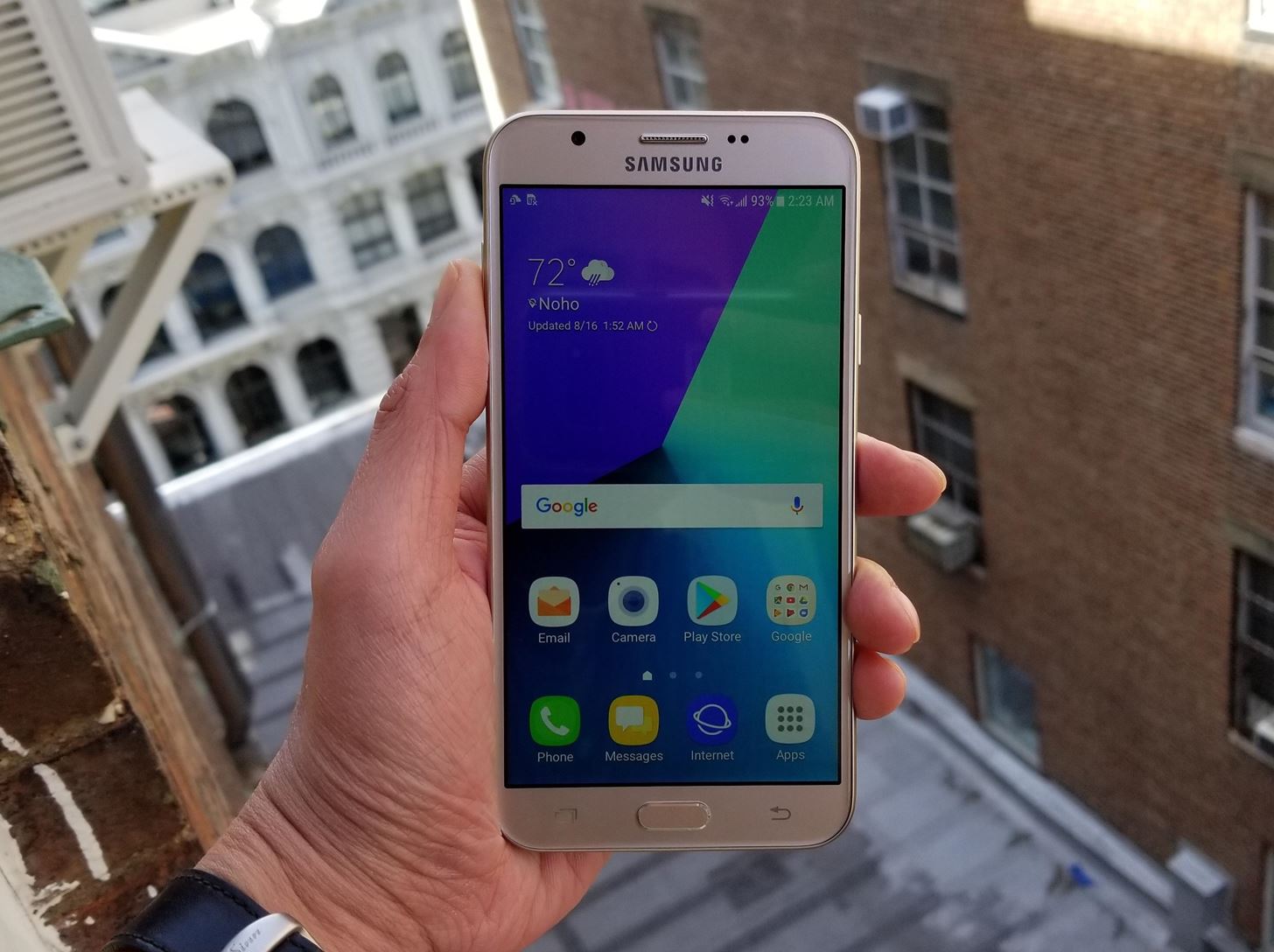
Phone 4. Galaxy J7 PrimeWith the Note 8 and Galaxy S8 garnering all the acclaim and attention, it's easy to overlook the other great smartphones Samsung offers. In fact, we often forget that Samsung has plenty of entry-level and mid-range smartphones that feature decent specs that will surely meet the needs of the average consumer.Not to be confused with the international model of the same name, the US version of the Galaxy J7 Prime (also known as the Galaxy J7 V or Galaxy J7 2017) was released back in March 2017 and runs Android 7.0.1. Despite its relative weakness in terms of future-proofing due to a lack of OS and security updates, the $275 phone still gives budget-oriented users plenty of bang for their buck. That said, users who value online security may be better suited with the Nokia 6 or iPhone SE. Image by Amboy Manalo/Gadget Hacks Featuring a plastic shell enclosure, the Galaxy J7 Prime doesn't feel as premium as the other phones in this list, but this is somewhat offset by a Gorilla Glass 4 display panel that gives it a greater degree of protection against screen cracks. And despite having a plastic shell, the J7 Prime is still fairly rigid and offers decent protection against bending, thanks to a thick inner frame that houses the motherboard.As there were no drop tests available for the U.S. version of the J7 Prime, we had to turn to drop tests done on its closest relative, the metal-bodied J7 Prime Duos, paying close attention to front-facing drop tests as they would apply to the stateside J7 variant. In drop tests done by XeeTechCare, the J7 Prime's screen survived intact from a front-facing drop at a height of at least 4 feet.Don't Miss: The 4 Best Phones for Binge-Watching Netflix & HuluThe J7 Prime is also the only handset in this list that features a removable battery, which gives you a lot more flexibility in terms of battery swaps due wear and tear, or having spares to switch batteries to get the most out of your device. This feature also makes the J7 Prime the safest in this list to disassemble with regards to minimizing accidental electrical shortage, which can cause irreparable damage to the phone. Image by Amboy Manalo/Gadget Hacks Like the Nokia 6, the J7 Prime's overall repairability has its shares of up and downs. In terms of screen replacement, the the J7 Prime tops the list due to its design. With a careful balance of heating and prying to loosen adhesive, the screen assembly will pop out, then it can be replaced after simply unplugging the ribbon connector and fastener. As easy as screen replacements are, however, the J7 Prime has the most expensive screen assembly on this list. With an average display assembly price of $135, expect to pay a premium on screen repairs.The J7 Prime also shares the same inherent risks as the Nokia 6 and Moto G5 Plus as far as repairing a broken charging port or other parts due to its design. The paint underneath the glass panel can be easily scratched off, especially if using a metal pry tool. To complicate matters further, the charging port on a J7 Prime is directly soldered into the motherboard similar to the Moto G5 Plus. Therefore, we highly recommend taking the J7 Prime to an experienced technician for repairs performed under the hood. The J7 Prime's charging port is soldered onto the motherboard. Image by Jose Morales/YouTube Unlike its more famous flagship models, Samsung doesn't have an official IP rating for the J7 Prime in terms of water and dust resistance. The J7 Prime has looser tolerances as far as build quality is concerned, most notably around its rear housing due to its removable battery. An accidental drop in the toilet bowl will not only be gross, but will most likely translate to severe damage to the J7 Prime, so extreme caution must be taken when using the handset around water.Don't Miss: Galaxy Note 8 Revealed — Dual Cameras, 6 GB RAM, Bixby & More
ConclusionThough the iPhone SE won out in the end according to our research, it was by no means decisive. The Nokia 6 bested it in terms of structural integrity thanks to its rigid main housing, while the Motorola Moto G5 Plus proved to be the most resistant to screen damage. The J7 Prime is arguably safer to repair than the others thanks to its removable battery.Honestly, any of the phones in this list would make a perfect digital companion for folks who find themselves frequently dropping their phones. Not only should they all hold up to the daily grind, but even if they do end up breaking, repairs shouldn't cost an arm and a leg.Which mid-range smartphone would you recommend to your clumsy loved ones? As always, feel free to comment below and share your thoughts.Don't Miss: The 4 Best Phones for Privacy & SecurityFollow Gadget Hacks on Facebook, Twitter, Google+, YouTube, and Instagram Follow WonderHowTo on Facebook, Twitter, Pinterest, and Google+
Cover image by Amboy Manalo/Gadget Hacks


How To: Send Your Uber Trip Status to Trusted Contacts if You're Ever in a Sketchy Situation By Nelson Aguilar; Smartphones; Uber 101; Travel Tips for Your Phone; When you're riding in an Uber, on your way to meet family or friends, they may want to know where you are exactly to see how long until your arrival.
How to Earn Someone's Trust Without Ever Saying - WonderHowTo


you can't completely stop Facebook from putting your name out there as a possible friend (no surprise there), but at least you can limit who gets to see the suggestions.
How To Stop Friends From Requesting Your Location On Snapchat

Siri 101: How to Make Siri Correctly Recognize & Pronounce


One of the first issues you'll run into is that the contacts on your old iPhone don't easily sync with your new Android device. So if you've recently made the switch to Android, and you're missing all of the phone numbers and email addresses you saved on iOS, you'll need to export your contacts to transfer them over.
How to Catch a Ride with Lyft or Uber Straight from Apple


Soundcloud is the place where you can find all things sound. Podcasts, lectures, radio shows, concerts, your favorite music… in all kinds of different variations, thanks to all the music producers out there who want to give a certain song a different spin.
How to Force SoundCloud & Pandora to Use an Equalizer


How To: Automatically Mute Media Playback When You Put Your Android in Priority Mode News: Pixie for iPhones Uses Augmented Reality to Help Find Your Lost Wallet or Keys How To: Mute Individual Tabs in Chrome Without Leaving Your Current Tab How To: Make a key fob from scratch
How to Disable or Mute Annoying App Notifications on the


Enable USB Debugging. USB debugging may sound like a scary, programming term, but it's probably the most widely used Developer option. It allows your Android device to communicate with the Android SDK (Software Developer Kit) using a USB cable.


How To: Grouped Notifications in iOS 12 Makes Browsing Alerts on Your iPhone Way Less Annoying Messages 101: How to Hide Alerts for Specific Conversation Threads GarageBand 101: How to Save Your Songs as Custom iPhone Ringtones & Alert Tones
How to Customize Grouped Notifications in iOS 12 - MacRumors


Adobe Premiere Clip - Create, edit & share videos Free Create quality videos that can be easily shared or easily opened in Premiere Pro CC for extra polish.
Adobe® Premiere Pro | Free Trial
AD


If your phone is currently in a bootloop and you're unable to access Magisk Manager, start by booting into TWRP. You can do this on most phones by holding the volume down button between bootloops — i.e., when the screen goes black.
Problem in Hacking Android Phone « Null Byte :: WonderHowTo


Introduced earlier this year, HTC's Power to Give campaign enables any of us with Android devices (running Android 4.4 or higher) to use our device's processing power to compute some of the data necessary to solve the world's deepest challenges. Don't Miss: 5 Ways You Can Help Science Out with Your Android
4 Apps to Help Keep Your Android Device Secure « Android


Before starting any drive where you're using Google Maps for directions, it's vital to make sure the app is functioning correctly, specifically, navigation prompts. After initiating turn-by-turn directions on your Android or iPhone, the last thing you want to worry about is Google Maps not audibly


Also, with CMTE, it was essential for the user to reboot their device, whereas upon using full Substratum mode, one can dynamically theme their device without the need to reboot. Furthermore, CMTE as a project has been left out ever since Android Nougat, while Substratum's development continues to grow.
15 Cool Substratum Themes You Can Try on Android (2017


If you have just bought a Samsung Galaxy S phone and noticed that it drops in signal reception just like the iPhone 4, watch this video to find out the best way to hold your Samsung Galaxy S cellphone. This video is done by a Polish tester, and they have noted that this Android phone may behave
Connect a portable USB modem (data card) with Samsung Galaxy S II

How to Anonymize your emails with the MixMaster remailer
News: MacRecipes Catalogs All 313 of MacGyver's DIY Hacks

News: MacRecipes Catalogs All 313 of MacGyver's DIY Hacks

Can you really make an explosive from salt, sugar and weed killer? Does glycerol and water actually recover text from burnt paper? Is it possible to develop film with a first aid kit and some orange juice? MacGyver says yes.Want to know more of MacGyver's ingenious household concoctions for evading near-death situations? Then you're in luck, because someone has finally compiled all of MacGyver's clever hacks into one place, showcasing the ex-DXS man's brilliance in one single webpage—MacRecipes.Chris over at Fathom scoured old MacGyver episodes and assembled data from MacGyverOnline and IMDB to create the ultimate recipe book for MacGyverisms. It's every single hack that Richard Dean Anderson ever employed through his seven seasons as MacGyver—all 313 of them! Not surprisingly, the first season accounts for nearly a third of the hacks, most likely because of an increase in plot and lack of "Opening Gambit" sequences in future seasons.Just click on the square dots to see the recipes from each of the 139 episodes. You can then see the list of ingredients in the bottom right box, along with related recipes from other episodes. 17   :  Number of times Mac had to create a diversion. 17   :  Number of times explosives were involved.15   :  Number of times Mac dealt with locks.1     :  Number times he used drain cleaner and water to simulate a heart attack.The only thing MacRecipes forgot about are the how-to videos!Check out this video for Recipe 82 (how to make an arc welder with a car battery, jumper cables and coins). And learn something easier than Recipe 206 (instead of seeing through frosted glass with motor oil, try tape). Or something a little more high-tech than Recipe 117 (instead of tube and headset earpiece, make a digital spy stethoscope).

The Best Black Friday 2018 Deals on Wireless Chargers for


With few voice commands, you can stream your favorite music from Google Play Music to Google Home. If you already have your local music on Google Play Music, Google home can find those tracks and stream for you. To start to upload Local Music to Google Play, first of all, make sure you have a Google Play Music account.
How to Refresh Your Google Play Music Library and Find Your


You can change how the date appears on your Android phone. One of the salient advantages of a Google Android smartphone over, say, an Apple iPhone, is the inherent extendibility of the open-source Android mobile OS. There are a seemingly infinite number of settings to tweak and advanced features to
How To Change Date & Time on Android Smartphone / Tablet


To Delete Activity History of Your Google Account on Android is the most significant task. Doing this will ensure that the search records is only known to you and help protect your privacy.
How to Permanently Delete Your Google Account History


How to Pirate a Vinyl Record the Hard Way: One of my most fun projects to date! I take a Johnny Cash reissue 7" vinyl record and duplicate it with a silicone rubber mold and liquid plastic. To be quite honest I was surprised on how much detail the mold can handle as the duplicated record p
How To Pirate A Vinyl In 15 Seconds - YouTube


If browsing speed is important to you—and it should be—you'll probably be interested to know that there are ten simple flag modifications you can make in Google Chrome in order to achieve the fastest browsing speed possible.
11 Ways to Speed Up Google Chrome - Hongkiat


How to Recover a Lost Joomla Username and Password Often they can't remember or just don't know both the username and password. Here's how to recover if you've been locked out of your Joomla 1.5 site:
How to Recover a Lost Joomla Username and Password


And it can be hard to remember that most of what we see has been Photoshopped, whether it's a tweak of the hair or a heavily-manipulated photo. We reached out to picture-editing expert Jim De Yonker, the founder of the company Lux My Photo, who revealed the top four visible signs that an image has been Photoshopped.
How Do you Tell if a Photo is Photoshopped? 9 Ways to Spot a


So, if you want to uninstall or delete unwanted apps on Android device, then read this tech article. In this tech article I will guide you, how can you permanently remove the unnecessary apps from your android phone without any major trouble.
How do I remove an app or game that I've added? | Facebook


Free radio for everything you do. Store 50,000 tracks from your personal collection. Subscribe for on-demand access to 40 million songs and offline listening.
How to Upload Your Music Library to Google Play Music


I saw some custom text on the status bar of a friend's Samsung Galaxy Note 3, but I had no idea how to do it. In this post, I will be showing you how to make the status bar on your Samsung Galaxy Note 3 yours by adding custom words or phrases to it.
4 Ways to Clean Up the Status Bar on Your - Samsung Galaxy S6

How To: Set up visual voicemail on a Google Android smartphone

How To: Set up visual voicemail on a Google Android smartphone
Interested in setting up visual voicemail on your Google Android smartphone? This clip will teach you everything you need to know. It's easy! So easy, in fact, that this mobile phone hacker's guide can present a complete overview of the process in about four minutes. For more information, including detailed, step-by-step instructions, take a look! Please enable JavaScript to watch this video.


This lesson will demonstrate to get a voicemail account up and running on your Android-powered smartphone. First, we'll cover how to adjust your voicemail account's general settings so that it's set up the right way from the get-go. Then, we'll show you how to actually put the account into service. Setting up voicemail on an Android phone 1.
Check your voicemail - Phone app Help - Google Support


To set up and use Visual Voicemail, you'll have to: Have a smartphone and data plan that includes Visual Voicemail 1 (included on most wireless and PREPAID smartphone data plans) Use your own smartphone - you can't set up voicemail from another phone; Connect to the 4G LTE data network
How to Set Up Carrier Voicemail on an Android Phone - dummies


Interested in setting up visual voicemail on your Google Android smartphone? This clip will teach you everything you need to know. It's easy! So easy, in fact, that this mobile phone hacker's guide can present a complete overview of the process in about four minutes. For more information, including
How to Set Up Google Voice to Get Visual Voicemail on Your


Transcription is only available in English and Spanish on Android 8.0 and up. Learn how to check your Android version. Turn on voicemail transcription. Open your device's Phone app . Tap More Settings Voicemail. Turn on Voicemail transcription. Note: If you don't see "Voicemail transcription," make sure you have visual voicemail turned on.
How To Set A Voicemail Number On Any Android Phone - YouTube


AT&T Visual Voicemail allows you to review and manage your voicemail directly from your smartphone eliminating the need to dial into your mailbox. Key Features: • Play messages in any order you choose • Read text transcriptions of your messages (optional feature) • Save messages to the app or smartphone's memory or memory card Requirements: • A supported Android smartphone.
Visual Voicemail FAQs | Verizon Wireless


This video demonstrates how to set a voicemail number on any Android phone. If you found it helpful, we would be appreciative of a like (thumbs up) If you want to see more subscribe: http
How to Set up Google Voice on iOS or Android Smartphones


Now you're all set up to use Google Voice for visual voicemail. In the future, when you get a voicemail, the transcription should come through as a notification after a few moments. You can tap this notification to play or delete the voicemail, so it's just like having visual voicemail through your carrier.
Set Up and Use Visual Voicemail - Wireless Support - AT&T

How to Set up visual voicemail on a Google Android smartphone


Visual Voicemail lets you view voicemail messages you receive and listen to your messages in any order on your devices. You can scroll through your messages, pick the ones you want to listen to, and erase them right from your device's screen.


This is a step-by-step guide on how to set up Google Voice, whether you are using an iPhone or an Android smartphone.
AT&T Visual Voicemail - Apps on Google Play


If you haven't yet done it, set up voicemail on your phone. Do so even if you plan on using another voicemail service, such as Google Voice. That's because carrier voicemail remains a valid and worthy fallback option when those other services don't work. Even if you believe your voicemail to
How to Set Up and Activate Voicemail on Your Android Phone

How To: Get the Samsung Galaxy S6's Newer Smart Switch App on Any Galaxy Device

How To: Get the Samsung Galaxy S6's Newer Smart Switch App on Any Galaxy Device
With only a month left until Samsung's highly-anticipated Galaxy S6 and Galaxy S6 Edge are released to the general public, it's only natural that some of the devices' features slowly trickle out, like Edge notifications, the new Smart Remote app, and, of course, wallpapers.Another feature you can have right now is called Smart Switch, which allows you to easily move content from your old iPhone or Android device to your brand new Galaxy S6, or in this case, any Galaxy series device. It was previously released on the Galaxy S4, and there is a version already available on Google Play, but the Galaxy S6's version is an updated one. Please enable JavaScript to watch this video.

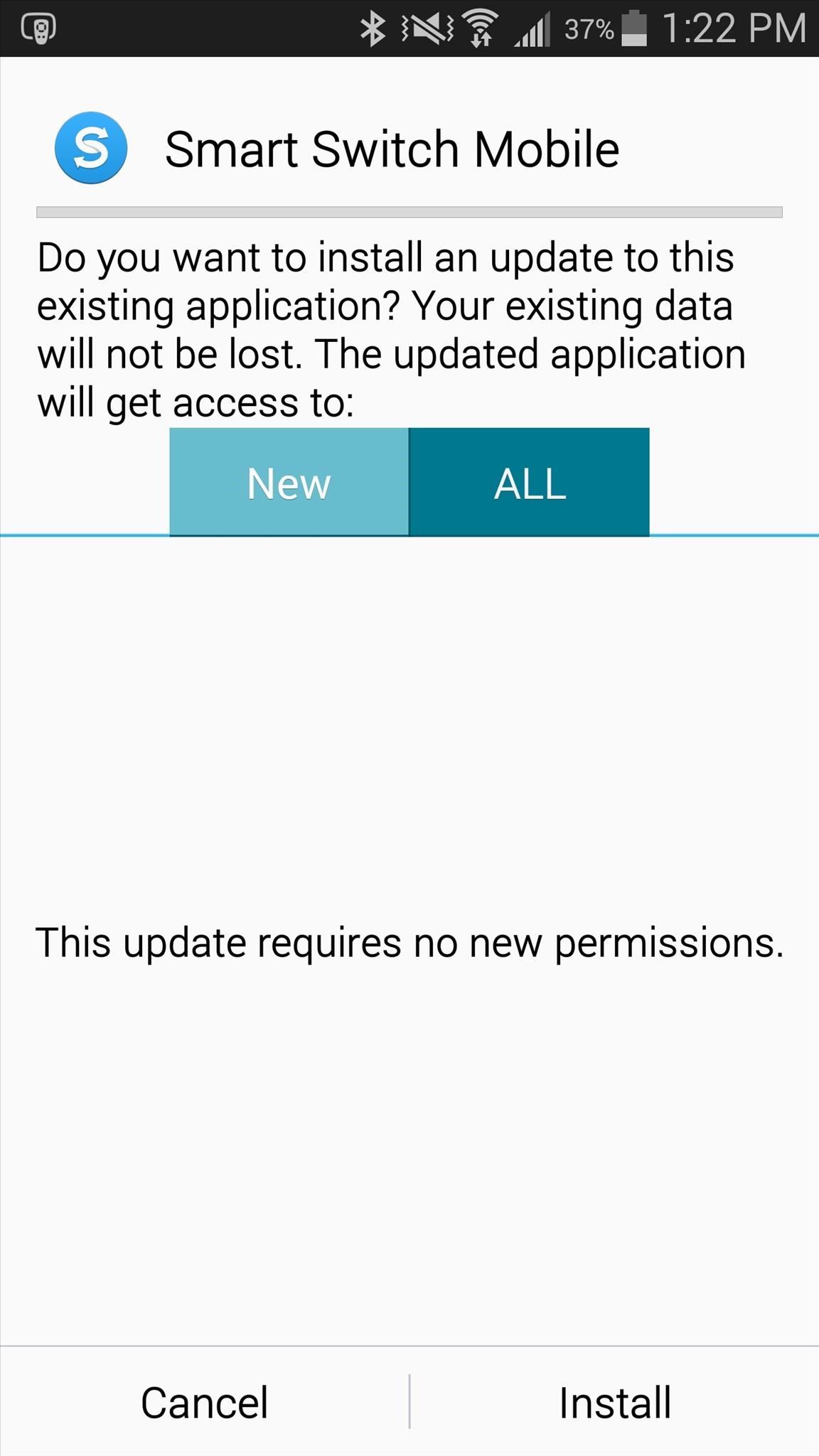
Download Smart SwitchGo ahead and download the Samsung Smart Switch Mobile APK (taken from XDA) onto you Samsung Galaxy device, then install like you would any other APK (make sure "Unknown sources" is checked, if not already.) You need to install it on both Android devices, or if you're switching from an iPhone, just the newer Galaxy device. Once the app is opened, you've got to select what type of transfer you want to make—either "iOS to Galaxy" or "Android to Galaxy"—and we'll cover both briefly below.

Transferring Media from Android to GalaxyOn your older Android device, select to "Send Content." On your newer Galaxy device, select "Receive Content." The app uses an audio signal to pair devices, so make sure they are close together. On your older device, when it comes to content, you can send everything from contacts to call logs and photos and movies. Check the box next to what you want to transfer over and hit "Send." Depending on the size of the files, the process will take either a few seconds or several minutes.

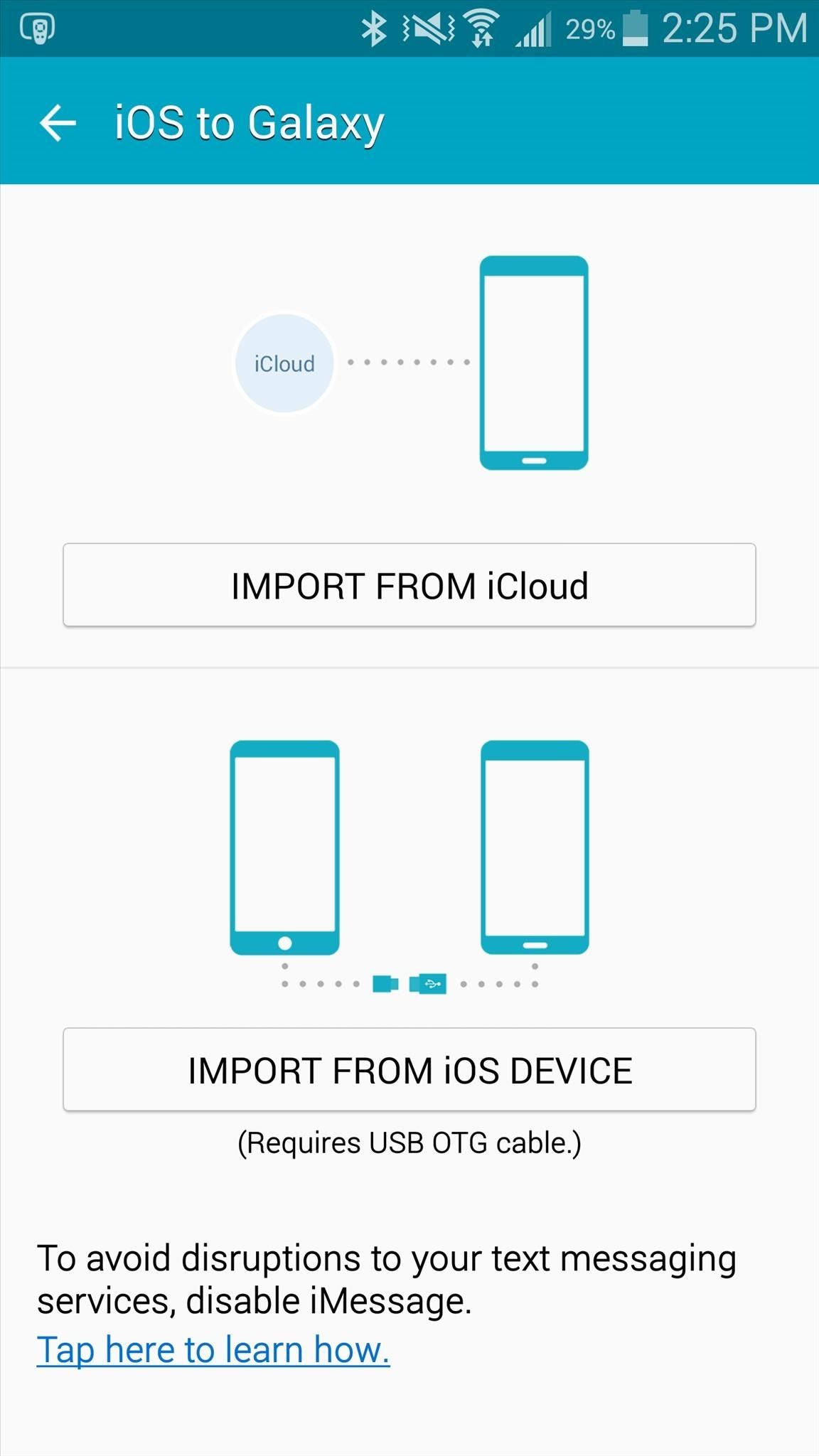
Transferring Media from iOS to GalaxyIf you're transferring media from an iPhone to a Galaxy, the process is a little different. You can either import from your iCloud account, or you can connect both devices using a USB OTG cable. What do you think about the Galaxy S6's newer Smart Switch app? Does it work better than the previous version? Let us know in the comment section below, or drop us a line on Facebook, Google+, or Twitter.


FINAL FANTASY Ⅸ on the App Store - itunes.apple.com


New Google Fantastic Beasts and Where to Find Them App Lets You Turn Your Phone Into a Wand Winston Cook "OK Google" voice commands will allow you to do a limited number of "spells
Turn your phone into a magic wand with Google's 'Fantastic


Tiny Apps is a collection of 5 useful floating apps that consists of floating windows for multitasking in Android. Find more about the features of Tiny apps here.
How to fix MirrorLink on Samsung with Android 9 - Floating Apps


Choose a contact to speed-dial. Repeat Steps 5 and 6 to add more speed dial contacts. When you're done adding numbers, press either the Back or Home icon to exit the speed dial screen. Using speed dial is simple. Summon the Phone app and display the dialpad. Long-press a number on the dialpad. When you release your finger, the speed dial
How to Easily create a speed dial for contacts on the Android


News: iOS 10 Will Be Released on September 13, but the Gold Master Is Available Now News: iOS 11.2 Developer Beta Released — Wallpapers, Tweaked Emojis & More News: iOS 11.4 Beta 6 Released, Includes Fix for 'Black Dot' Bug & Under-the-Hood Patches News: Apple Just Released iOS 12.1 with Group FaceTime, New Emoji & More
iOS 7 GM (Gold Master) Version Now Available to download


How To: Get Dark Mode on Instagram for Less Stress on Your Eyes When Browsing Pics & Videos How To : Enable the Hidden System UI Tuner Menu in Android Marshmallow How To : There's a Hidden Feature in Nougat That Gives Your Android Phone or Tablet a Desktop-Like Experience
How to Enable Dark Mode in Google Calculator « Gadget Hacks


Finally, if you use a camera phone or digital camera with GPS capabilities, it can record EXIF geolocation metadata. This is useful for geotagging, which creates all kinds of new possibilities, such as allowing users on photo-sharing sites to see any images taken in specific locations, view where your pictures were taken on a map, and to find and follow social events.
Clean All EXIF Data From Your Photos Before Sharing Them


If you're seeking out the best Black Friday bargains and price cuts on new phone cases, wireless charging pads, portable battery chargers, and more, then step right up. We've gathered together all
15 Black Friday deals on accessories for all of your new


Get the Original iPad Wallpaper for Your iPhone, iPod touch. GO. (320x480 resolution) for iPhone, iPod touch. Video no longer available on YouTube after copyright claim.
Download iOS 7 Wallpapers for iPhone and iPod touch


How to Clear The Cache (Delete Junk Files) on Smartphone Like android, windows or iOS. Delete temporary files from your phone in few minutes without any app
How to delete all data and applications from the BlackBerry


Connect your mobile device to the Wi-Fi network that you'll use for your speaker or display. On your phone or tablet, open the Google Home app . Follow the steps. If you don't see the steps to set up your device: On the Google Home app's home screen, tap Add Set up device Set up new devices. Follow the remaining steps. Fix issues during
How to Kill Android Apps Running in the Background | Digital


Phone Comparisons: LG V30 vs Samsung Galaxy S8. audio with the LG V30 topping the Galaxy S8's specs. Camera areas are excellent on both devices, but the LG V30 uses a dual-camera arrangement
LG K20 V vs Samsung Galaxy S6 | Smartphone comparison


Google Play offers a free MP3 download of Linkin Park's Hybrid Theory album. This album typically goes for $11+ as a digital download or $7.. Jan 23, 2018 - 53 min - Uploaded by MiR0*I do not own
Linkin Park's "Hybrid Theory" - FREE on Google Play - Warner

How To: Hack a coin operated laundry machine

How To: Hack a coin operated laundry machine
Man, it's laundry day and once again you have NO quarters. Well, check out this video and you'll never need quarters again. This how-to shows how to pick the lock on a coin operated laundry machine and then rig it up so you'll never need to pay again. Sweeeet. Please enable JavaScript to watch this video.


Now go back to settings and tap on the battery, now check individual app. How to disable, stop and uninstall background apps: Settings > Applications > Application manager > tap on the app and then disable it. If you are running Android Lollipop or Android Marshmallow then you can close the recent apps by tapping the Recent Apps navigation button.
Hibernator - Hibernate apps & Save battery Hack Cheats and


Many Many People Are Stuck In Recovery Mode So I Made This Video To Help You Fix Your Bricked iPhone! CLICK THIS LINK TO SEE THE NEW WAY TO DO THIS AND GET 4
How To Unlock iPhone 3 3G 3GS - Imei Phone Unlock


In this video, I'll be showing you how to fix clock-syncing issues on Android by synchronizing with atomic time from international servers instead of using your carrier's time service.
Atomic Clock won't set itself ? Am I doing somethi - The


How to Crack a Safe. If you've forgotten the combination to your safe, resorting to a professional locksmith could cost a lot of money, while forcing your way through could ruin both tools and safe.

How to Get Windows 8 Metro-Style Live Tiles on Your Android

mac os classic mac os x classic classic mac software media player classic mac os classic
How to Install Mac OS on Windows 7 « Operating Systems

Grayscale Mode in iOS 8: Proof That the Next iPhone Will


You can add many people that you know, and even add people who you would like to know more about. However, there are times, when you find some people are not worth being on your friends' list. The reasons are plenty and personal too, and in such situations, you must be thinking how to delete friends on Facebook.
How to Remove Friends From Facebook - YouTube


When you view stories from the top of your Feed, they automatically scroll from one person's to the next. You can tap the screen to skip to the next photo or video, or swipe right or left to skip between people's stories. Swipe down on the screen or tap x in the top right to exit someone's story and return to Feed. On the web at Instagram.com:


HBO's Westworld has touched down on iOS as a mobile game, giving players the chance to manage their very own futuristic theme park set in the wild west. Unfortunately, the game is currently only available in select countries as a soft launch until its fully developed. But if you'd like to try out this game right now, there's a simple workaround to get Westworld on your iPhone.


The best browser for your Mac is the one that comes with your Mac. Safari is faster and more energy efficient than other browsers. Handy tools help you save, find and share your favourite sites. Built-in privacy features help keep your browsing your business. And Safari works with iCloud to let you browse seamlessly across all your devices.

Protect Apps with a Secret Volume Button Code on Android

How To: Animate & Share Drawings on Your iPhone Without Any Third-Party Apps

How To: Animate & Share Drawings on Your iPhone Without Any Third-Party Apps
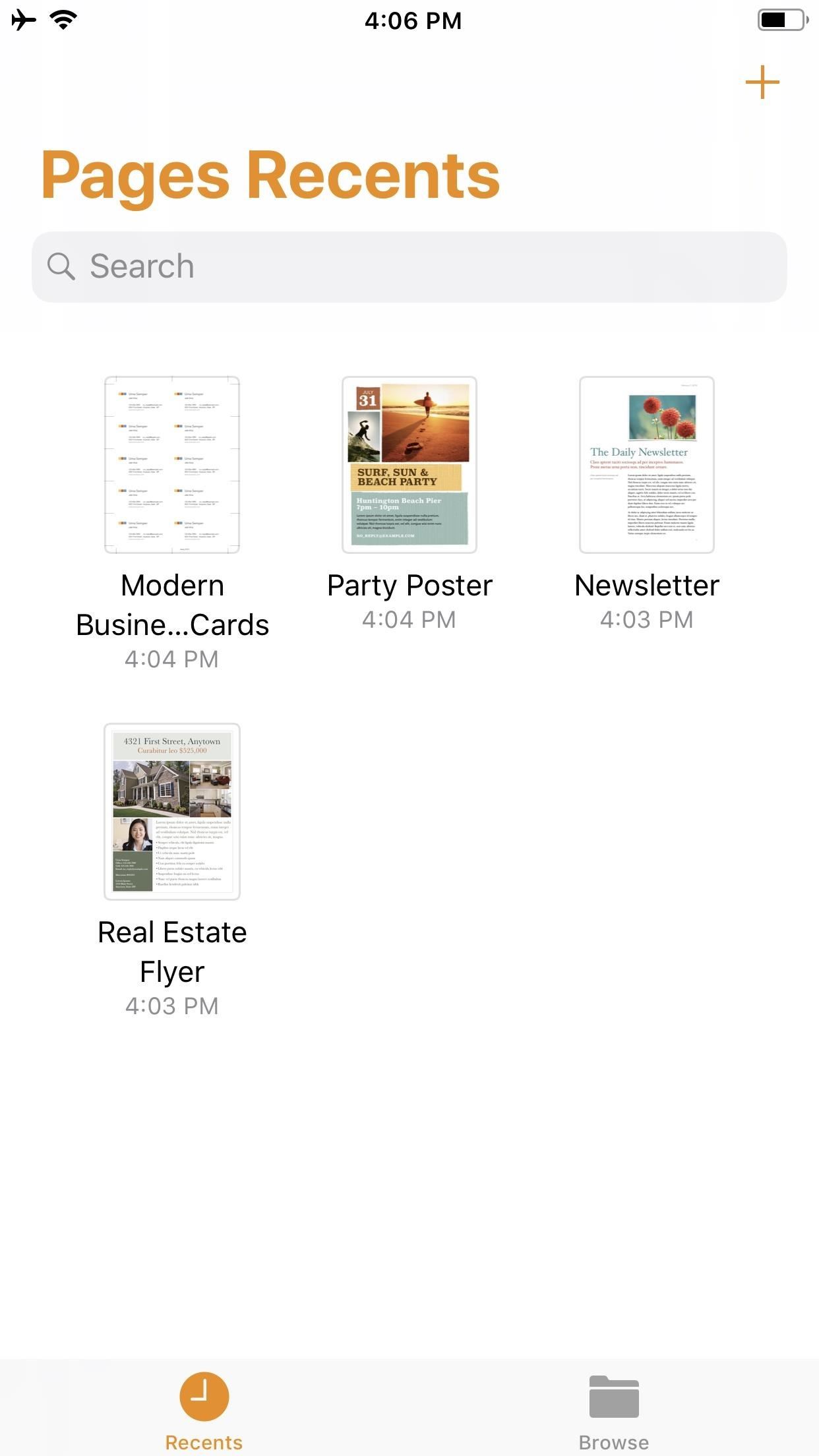
Creating doodles on an iPhone is made easy thanks to the "Draw" tool in Notes and "Digital Touch" for iMessages, but these are limited in scope. Drawing in Notes has no animated effects, and while Digital Touch does, its drawing tools are lacking and the animations can only live within iMessages. If it's animations you want, Apple has another app that can help you create them.Although Pages, the Apple-designed productivity app, is intended for word processing needs, a powerful new "Animate" tool can help your doodles come to life in a few easy steps. While it's not quite like the animation abilities that some popular third-party apps have, Pages does let you create a time-lapse of your drawing — basically a replay of every line and stroke you drew from start to finish.Don't Miss: 18 Tips for Apple's Screenshot Editing Tool on Your iPhone Before we dive into the following, make sure you've installed Pages via the App Store and are updated to at least Pages version 42, which contains the animation tool, released on Sept. 17, 2018. As a reminder, Pages is one of three apps in the iWork suite, Apple's version of Microsoft Office, and these apps are free for anyone with an Apple ID linked to the App Store since April 2017.

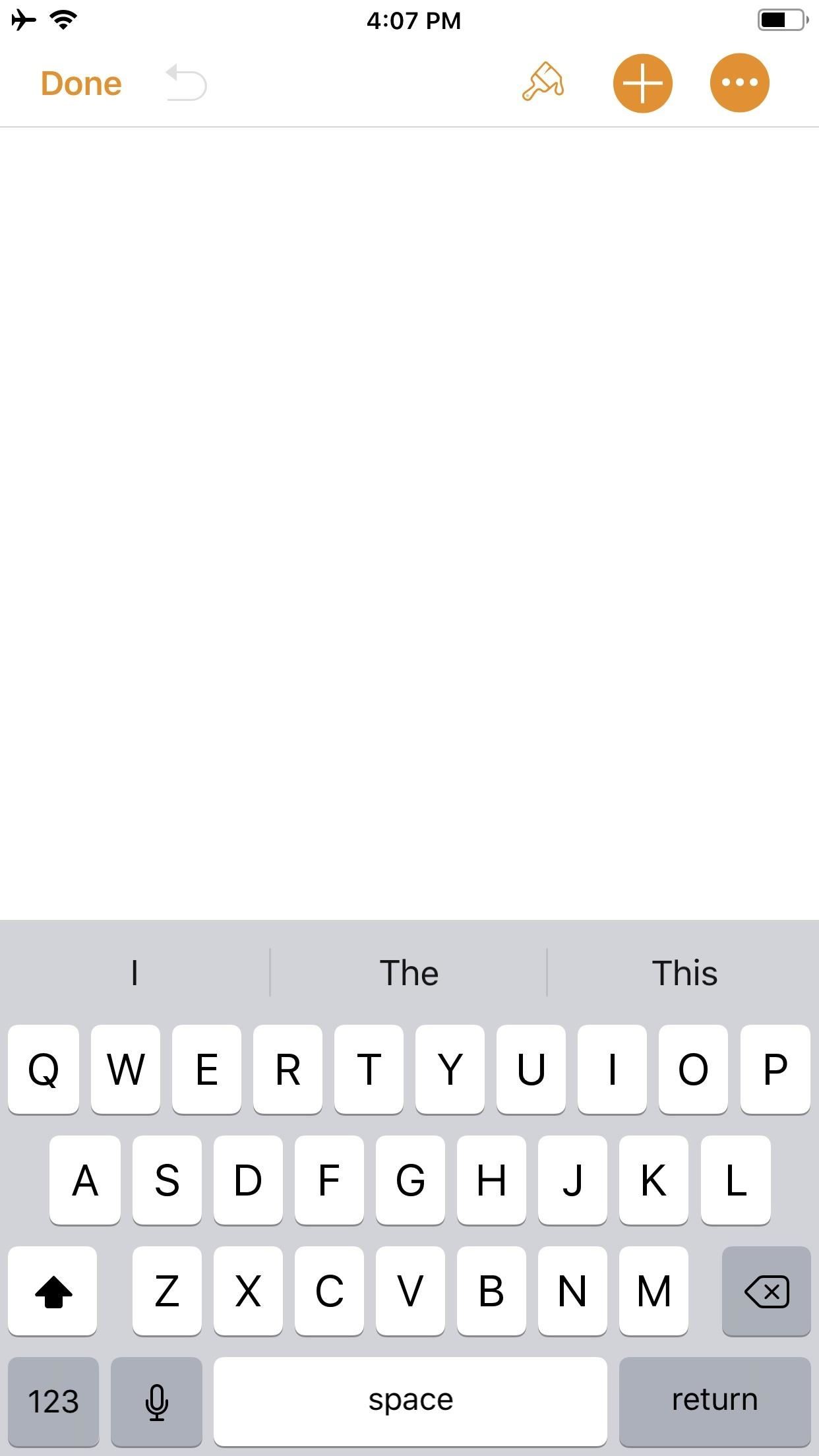
Step 1: Start a New DocumentOnce you launch Pages, create a new document by tapping on the "+" icon in the top-right of the screen. This will bring up the Choose a Template screen. For our purposes here, tap on something simple like "Blank" which will be the first option at the top of the screen.

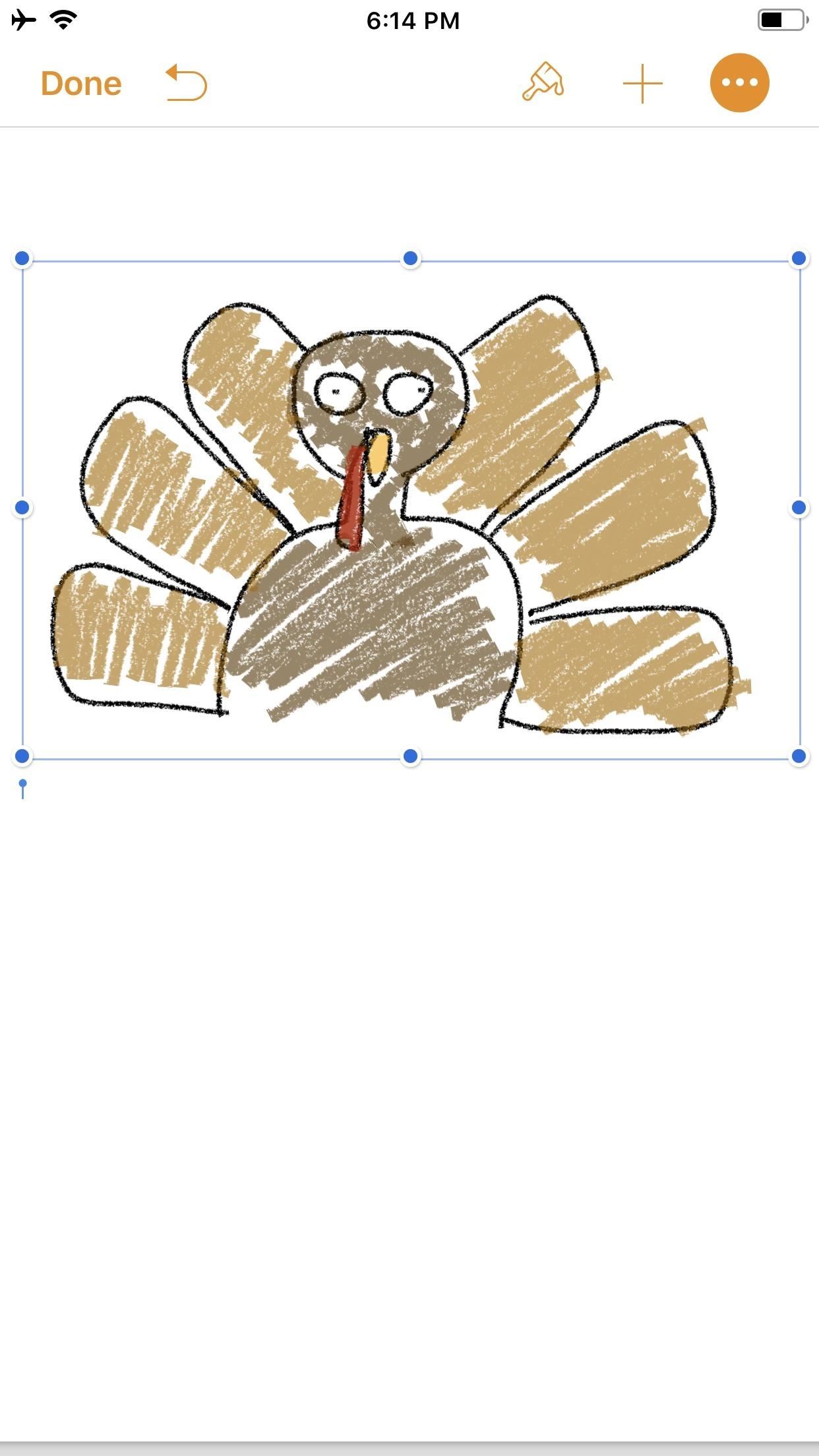
Step 2: Create an IllustrationYou should now be staring at a blank document, complete with a blinking cursor. Tap on the "+" icon in the top-right corner to view the objects menu. Once there, make sure you're on the "Media" tab (the fourth tab with the photos icon), then tap "Drawing" near the bottom.The drawing tools will appear and you'll see an orange header above. If you're in a word-processing document, like "Blank" would be, a white canvas will appear. If you're in a page layout, like a newsletter or poster, you'll just be prompted to draw on the page wherever you'd like. Your drawing tools appear at the bottom of the screen, and this entire row can be toggled up or down by tapping on the drawing icon (a pen within a circle) in the top-right. As you illustrate, keep in mind that the order in which you create the image will be preserved in the animation later. Every line, stroke, and fill you make will be presented in the order that you draw them. Think of it as a time-lapse of your drawing process.When you are finished with your doodle, tap on "Done" in the top-right corner.

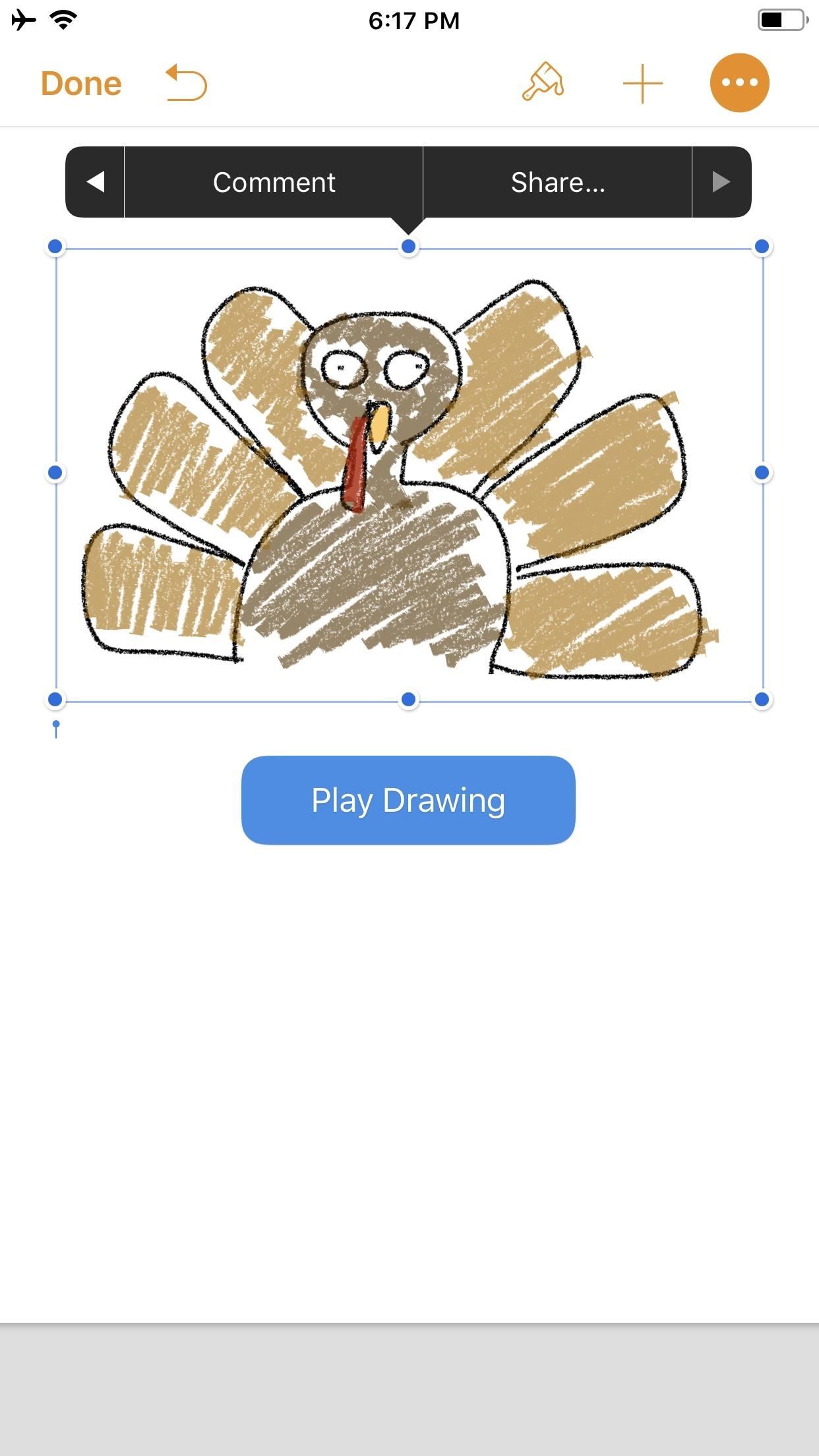
Step 3: Animate Your IllustrationYour new illustration should appear in the original document screen. It should already be selected if you have just tapped "Done" (a light blue rectangular frame appears around the illustration), but if not, tap on the drawing to select it.Once selected, tap on the "Paintbrush" icon in the top-right to access its options. Note that if your image is near the top of the document, when you tap on the image, the black contextual menu will pop up and cover the "Paintbrush" icon. This is because the image is, after all, a part of a Pages document. Just tap the drawing again to hide the contextual menu and reveal the "Paintbrush" icon.In the options menu, make sure the "Drawing" tab is selected, then toggle on "Animate Drawing" below it. New options will appear for "Duration" and "Loop." The former allows for an animation as short as 0.10 seconds to as long as one minute. Basically, you can choose the speed of the animation (i.e., how quickly your illustration blossoms). The latter is if you want the animation to repeat, or loop, similar to the "Loop" for Live Photos effect (or like "Boomerang" in Instagram). To preview the animation, tap "Play" under "Loop," and continue to make adjustments, until you get it exactly how you like it. You can even adjust the "Opacity" at the bottom, which gives you control of the animation's translucency.When ready, tap on "Done" in the top-left corner to close the menu (in landscape mode, tap anywhere on the document or hide the options menu with the down arrow to see "Done"). Now, whenever your drawing is selected on the page, a blue "Play Drawing" button will appear so you can quickly watch the drawing's progress in action whenever you want.

Step 4: Create & Share Your Animated VideoNotice the options that appear in the black contextual menu above your illustration when you select it. Tapping on "Share..." (the last option) will bring up two additional choices: "Share as Image" and "Share as Movie." Tap on the latter.The share sheet will pop up after the movie is done preparing, allowing you to share it as a video via AirDrop or to an app such as Mail in the share extensions row. You can also choose from the actions row to "Save to Files" or "Copy." I prefer to use "Save Video" so the animation is downloaded to the Photos app. This way, I have a local copy of my video along with the same sharing options from the share menu.The file format is .m4v, making it compatible with many platforms. Keep in mind that the above steps are a hack to generate an animation using Pages as a means to a video end. The intended purpose, as advertised by Apple, is to incorporate pizzaz to a document. Thus, if you incorporate an illustration with text and export it as a Pages document to other iOS/macOS users, any animation that has been toggled on will be retained for playback. Otherwise, if the document is exported as a format that is not able to handle video — such as a PDF — the image will be retained but solely as a still, so no animation option will be present.Don't Miss: Quickly Save & Markup PDFs of Notes, Webpages & More on Your iPhoneFollow Gadget Hacks on Pinterest, Reddit, Twitter, YouTube, and Flipboard Sign up for Gadget Hacks' daily newsletter or weekly Android and iOS updates Follow WonderHowTo on Facebook, Twitter, Pinterest, and Flipboard
Cover photo and screenshots by David Chien/Gadget Hacks


If you would like to use your Facebook chat but are hiding from a particular friend, check out this tutorial. Sometimes you just aren't in the mood to talk to certain people and you don't want them to see that you are online.
How can I hide my online status? - Facebook


Many monitors have a "Menu" button located on the front of the LCD monitor. When pressed, this button will prompt a "Set basic color settings" menu on screen. The screen's color can be adjusted with this process. Refer to the LCD monitor's user's manual for button locations and color calibration options.
ElementalX: The Only Custom Kernel You Need on Your Nexus 5


Apple Watch Series 3 reviews are out and here's what people are saying. Apple Watch Series 3 reviews are out. Most reviewers suggest buying the GPS model instead of the one that can also place


News: The Pixel 3 Still Has a Circular Polarizer How To: Create a Walking Dead Like Post-Apocalyptic World Using Time-Lapse Footage News: Google's Pixel Phone Is Taking All the Fun Out of Android, and That's the Point News: Your Google Pixel Will Become a Zombie Phone in 2019
When and How to Use a Polarizing Filter - petapixel.com


Many feared that Apple would follow a similar trend with the iOS 13. However, Craig Federighi in reply to an email from Reddit user u/olixerr has confirmed that the public beta of iOS 13 will be released as an OTA. Apple released the first developer beta of iOS 13 as IPSW firmware files because it was intended for a "much smaller audience."
Apple Releases First Beta of New watchOS 6 Operating System


Welcome to the Obooko collection of free ebooks: ready to read online or download in pdf, epub and kindle. Over 2500 books, novels, stories and textbooks to go!
How to Convert PDF to eBook | Wondershare PDFelement


With few voice commands, you can stream your favorite music from Google Play Music to Google Home. If you already have your local music on Google Play Music, Google home can find those tracks and stream for you. To start to upload Local Music to Google Play, first of all, make sure you have a Google Play Music account.
How to Refresh Your Google Play Music Library and Find Your


How to add a subscribe watermark to your Youtube videos . Hey everyone, it's Shaun from Digital life Concepts and today we're going to talk about how to add a subscriber watermark to your YouTube channel videos.
Best YouTube Watermark Maker to Add Logo to YouTube Videos


VSCO filters offer a quick one-tap editing solution for enhancing your iPhone photos. If you want to create beautiful edits inspired by the look of classic film, VSCO is the best filter app out there.
How to Use VSCO Filters for Superior Social Media Photos


If you're familiar with Instagram Stories, you know that you can download your story to your iPhone or Android device for offline viewing.Those downloaded stories can easily get lost, and Instagram is finally doing something to keep that from happening with a new archive option for stories, similar to the regular posts archive.
Introducing Stories Highlights and Stories Archive - Instagram


Now that you know how you can use Xcode 8 to sideload iOS apps on your non-jailbroken iPhone, or iPad running iOS 10, you should go ahead and look for your favourite apps' source code online. As always, if you face any issues with this method, do let us know in the comments section below.
How To: Sideload & Install Open Source iOS Apps on Your


Free Home Screen Wallpaper. Cool Collections of Free Home Screen Wallpaper For Desktop, Laptop and Mobiles. We've gathered more than 3 Million Images uploaded by our users and sorted them by the most popular ones.
Aerial screen savers on your Apple TV - Apple Support


Set up Handoff. Use Handoff with any Mac, iPhone, iPad, iPod touch, Apple Watch that meets the Continuity system requirements. Handoff works when your devices are near each other and set up as follows: Each device is signed in to iCloud with the same Apple ID.
How to Disable Handoff on Your iPhone and Mac